 Jim Apps
Switch from Level Up for Dynamics 365 to Envscope
Level Up for Dynamics 365 by Natraj Yegnaraman has been the go-to toolkit for Dynamics 365 people for years. Its store versions are no longer updated: the Chrome Web Store still ships version 3.6.4 from March 2023, the Edge Add-ons version 4.1.3 has not changed since September 2025, and bug reports in its issue tracker stay unanswered.
Envscope continues Level Up 4.1.3 under its MIT licence, with fixes and active maintenance. Same tools, same side panel, same custom commands. If you know Level Up, you already know Envscope.
What Envscope fixes from Level Up
- All Fields and Show OptionSet Values no longer open an empty page. Level Up
guessed the Web API name of a table by adding an "s" to it, which fails for tables such as
opportunityor custom tables ending in -y or -s (#492, #496). Envscope asks Dynamics 365 for the exact name. - Narrower permissions. Level Up ran a script on every website you opened. Envscope runs only on Dynamics 365 domains, which also makes it easier for IT teams to approve.
- The licence travels with the code. The original MIT licence and credit to Natraj Yegnaraman are included in the extension and shown in its About tab.
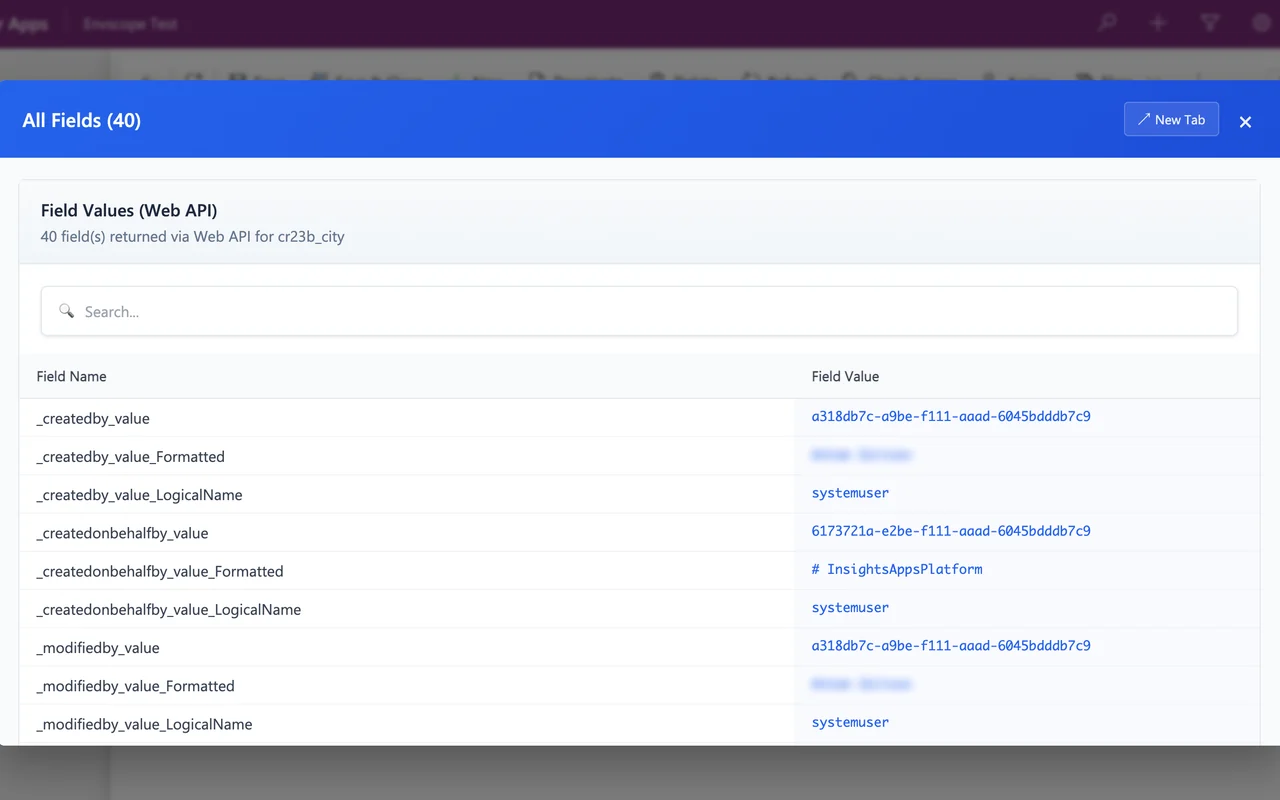
All Fields on a custom table, cr23b_city: Envscope asks Dynamics 365 for the real
Web API name (cr23b_cities) instead of guessing it.
Switch in three steps
- Save your custom commands, if you have any. In the Level Up side panel, open Commands and press Export Commands (the arrow pointing up). You get a JSON file.
- Install Envscope from Microsoft Edge Add-ons, then open the Envscope side panel, go to Commands and press Import Commands (the arrow pointing down) to load the JSON file. Envscope uses the same format, so your commands work as before.
- Remove or disable Level Up in
edge://extensions, so you do not get two panels and two items in the right-click menu.
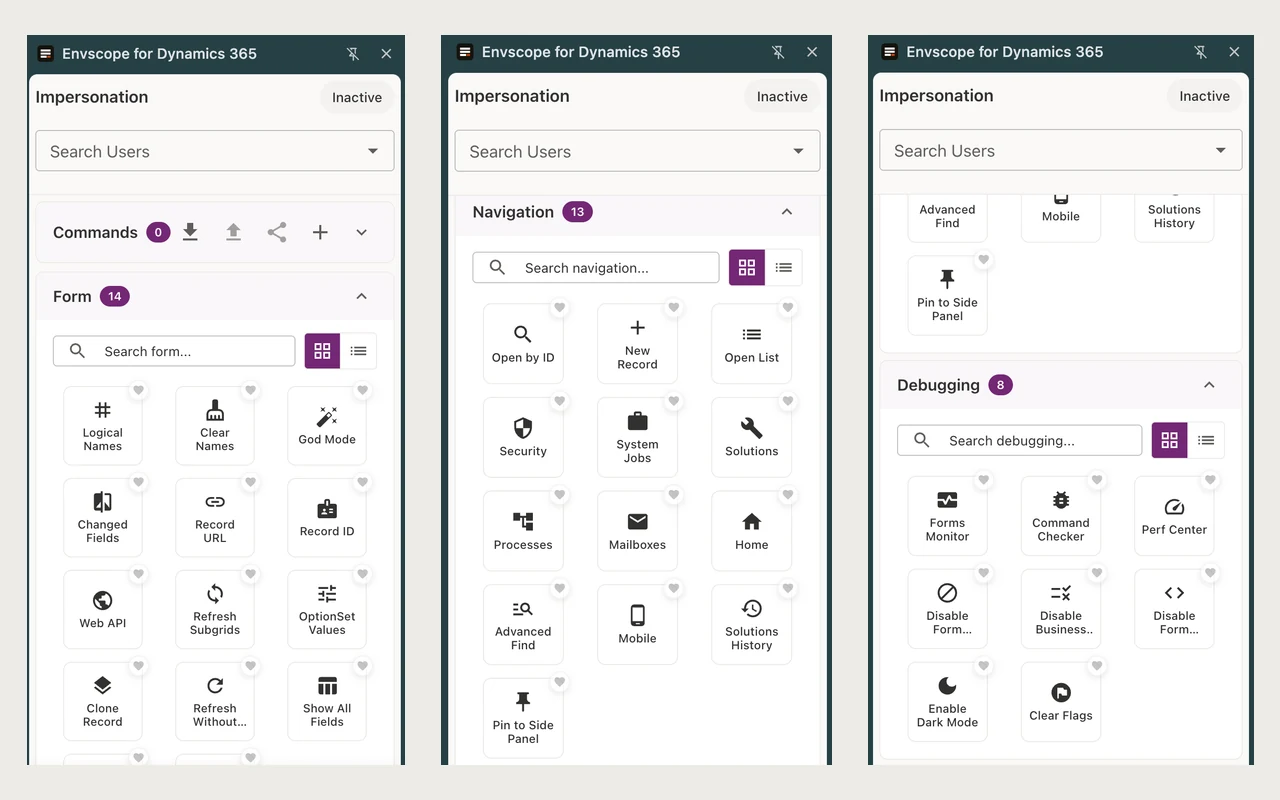
The Envscope side panel. Commands with Import and Export is at the top, the tools you know from Level Up below it.
Good to know
| Question | Answer |
|---|---|
| Is it free? | Yes. Everything Level Up did stays free in Envscope. The paid Pro plan is for consultants who manage several environments: it adds unlimited environment comparison (3 comparisons a month are free) and CSV export, and takes nothing away from the free version. See pricing. |
| Which browsers? | Microsoft Edge now. A Chrome Web Store version will follow. |
| On-premises Dynamics 365? | Not yet. Envscope works with Dynamics 365 online, including the US government and China clouds. Write to us if you need on-premises support. |
| Is this made by the author of Level Up? | No. Envscope is an independent continuation by Jim Apps, built on Level Up's open-source code with credit to its author. |
| What data does it collect? | The free version collects no personal data and sends nothing to our servers. Details in the privacy policy. |
Found something broken?
Write to contact@jimapps.dev with the button you pressed and what happened. Bugs reported in the Level Up tracker are on our list too.