 Jim Apps
Envscope compares Dynamics 365 dev, test and production
Envscope compares two Dynamics 365 environments and lists the tables, columns, choice options and forms that differ. Check a release before you deploy it, not after a user reports a missing field. The everyday admin shortcuts from Level Up come with it, free.
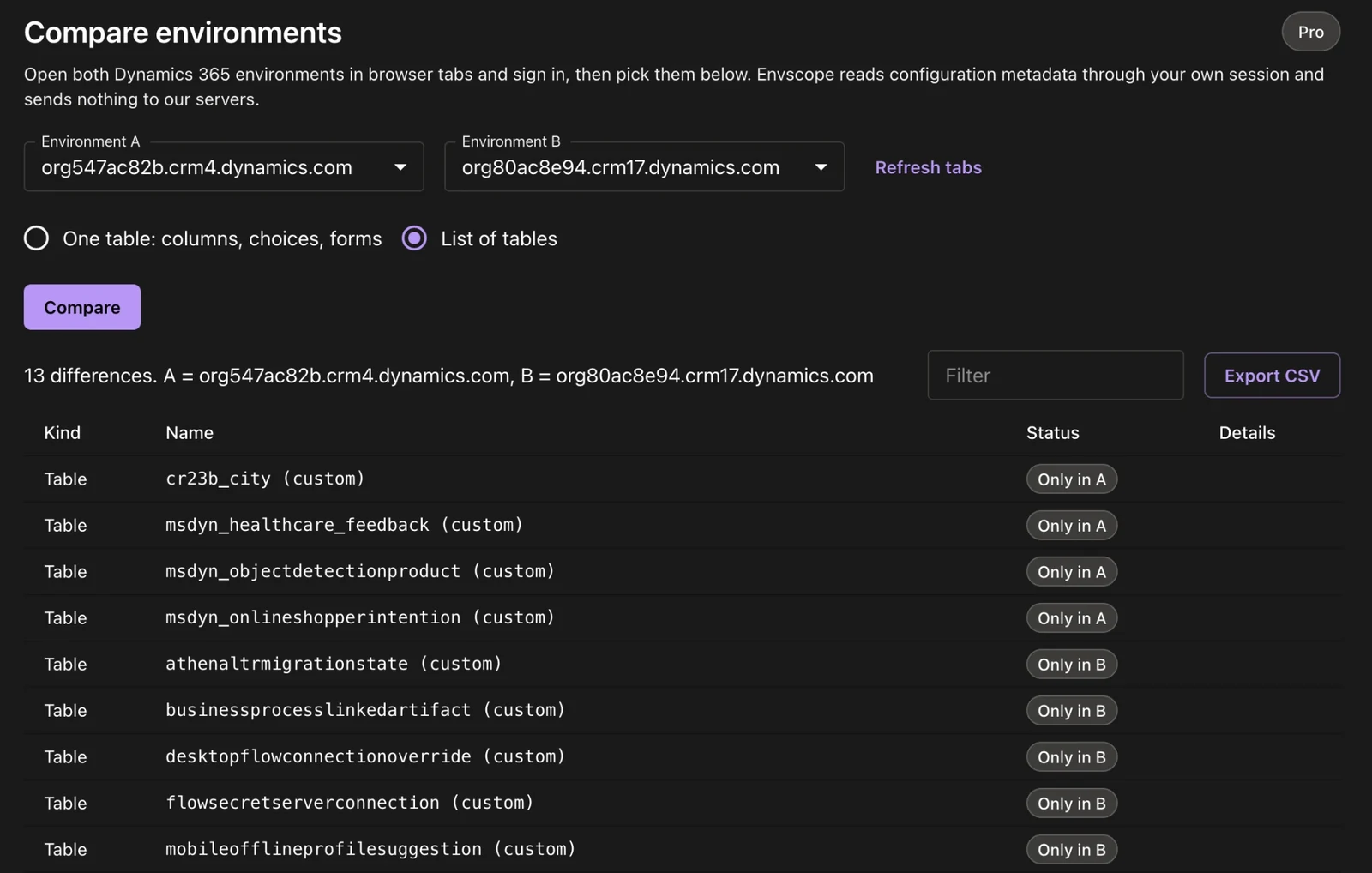
Two environments, one list of differences. Filter it, or export it to CSV for the release checklist.
Why Envscope exists
Consultants move changes from dev to test to production with solutions, and something always stays behind: a column created by hand in one environment, a choice option renamed in another, a form edited directly in production. Finding it means opening two maker portals side by side and comparing by eye. Level Up, the extension many Dynamics 365 people relied on for admin shortcuts, is no longer updated, and its All Fields view breaks on tables like opportunity.
Compare Dynamics 365 environments
- One table, in detail Columns that exist in one environment only, and columns whose type, required level or label differ. Choice options added, removed or relabelled. Forms that exist on one side only or whose layout changed.
- The whole list of tables Every table that exists in one environment and not in the other, custom tables marked.
- Filter and export Narrow the list to what you care about and export it to CSV for a release checklist or a client report.
- Any two environments you can open Dev and production, two clients' tenants, a sandbox before and after an import. Envscope uses the session you are already signed in with in each tab.
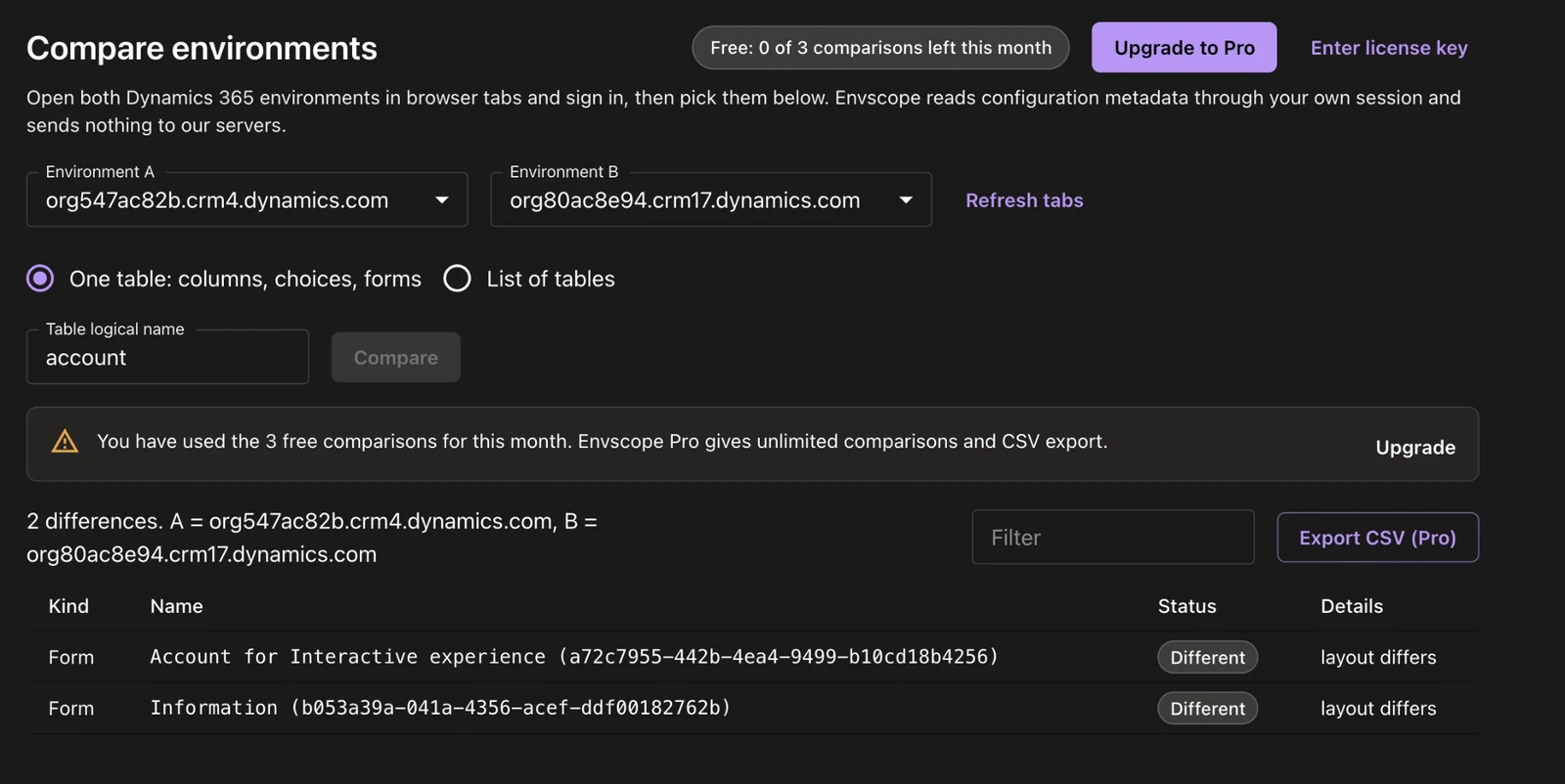
One table in detail: two Account forms changed between the environments. On the free plan the counter shows how many comparisons are left this month.
Free Dynamics 365 admin tools
Everything Level Up did, maintained and fixed, in a side panel next to your app.
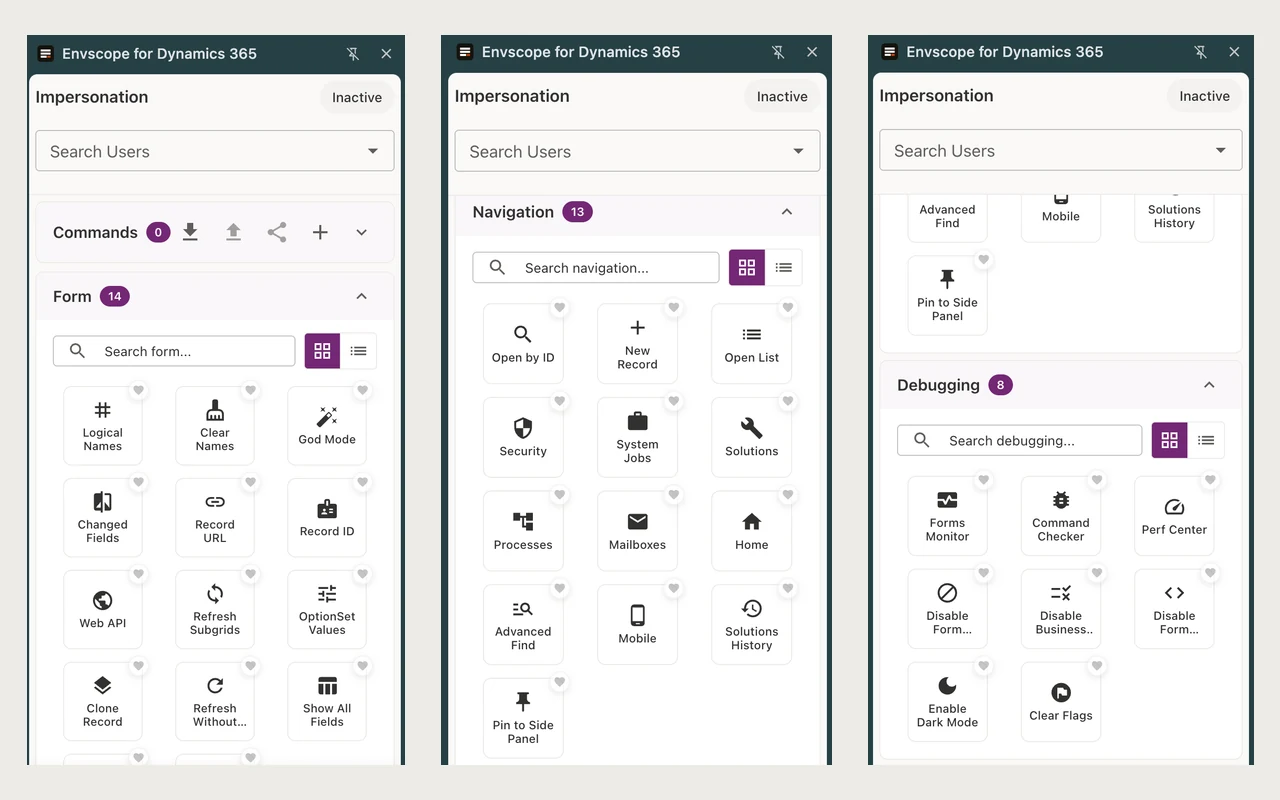
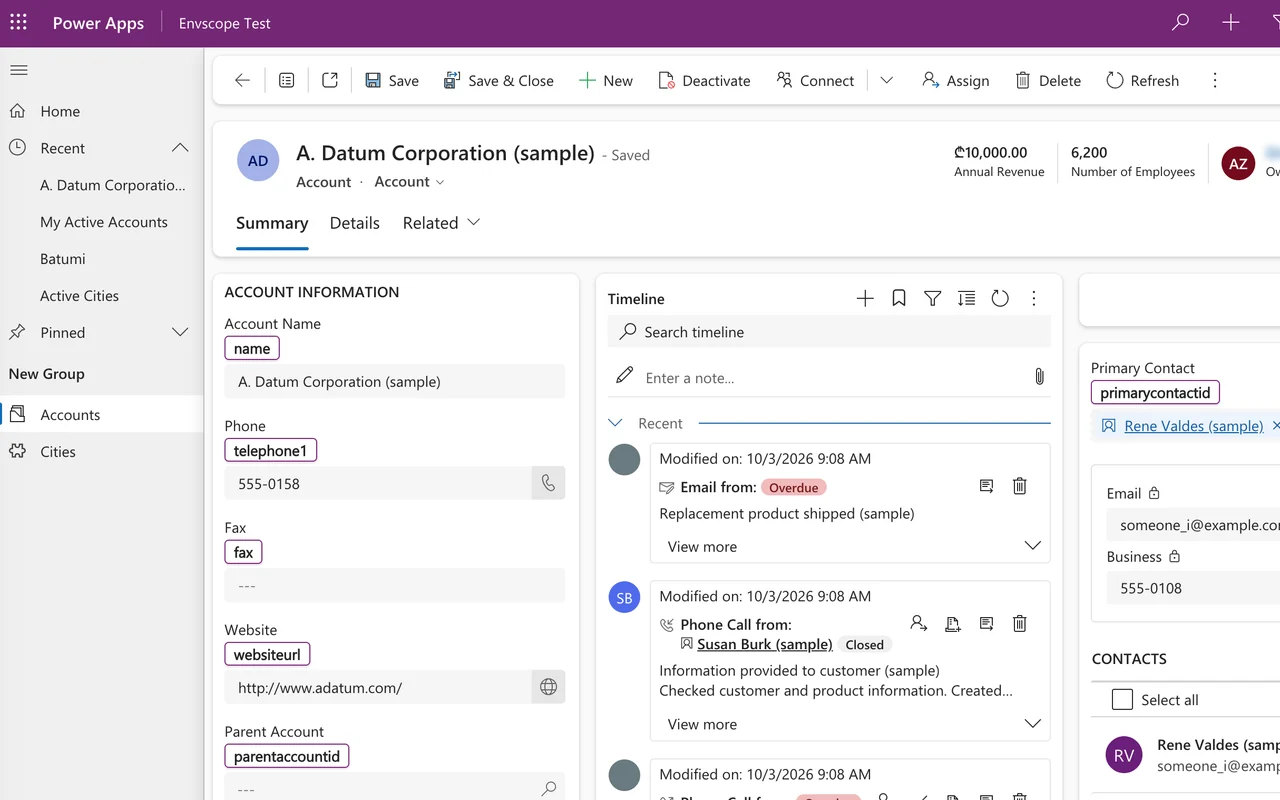
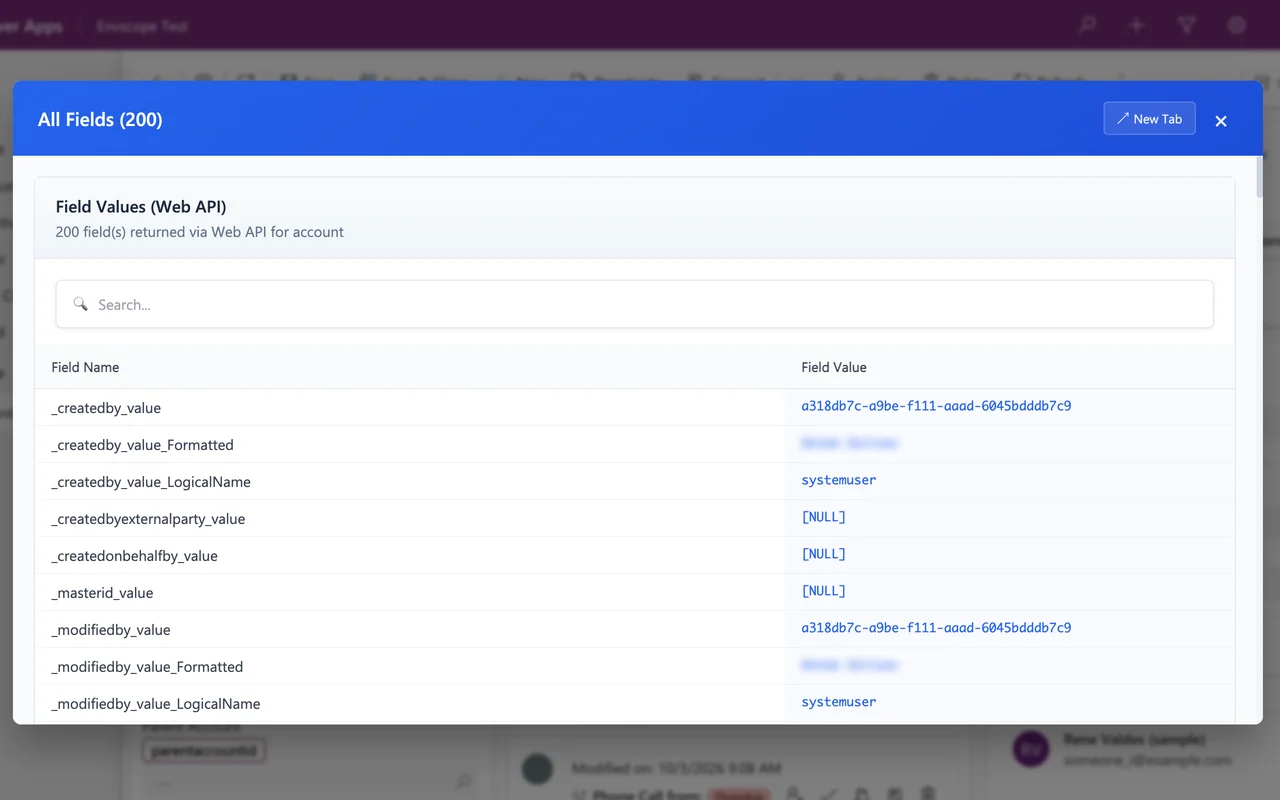
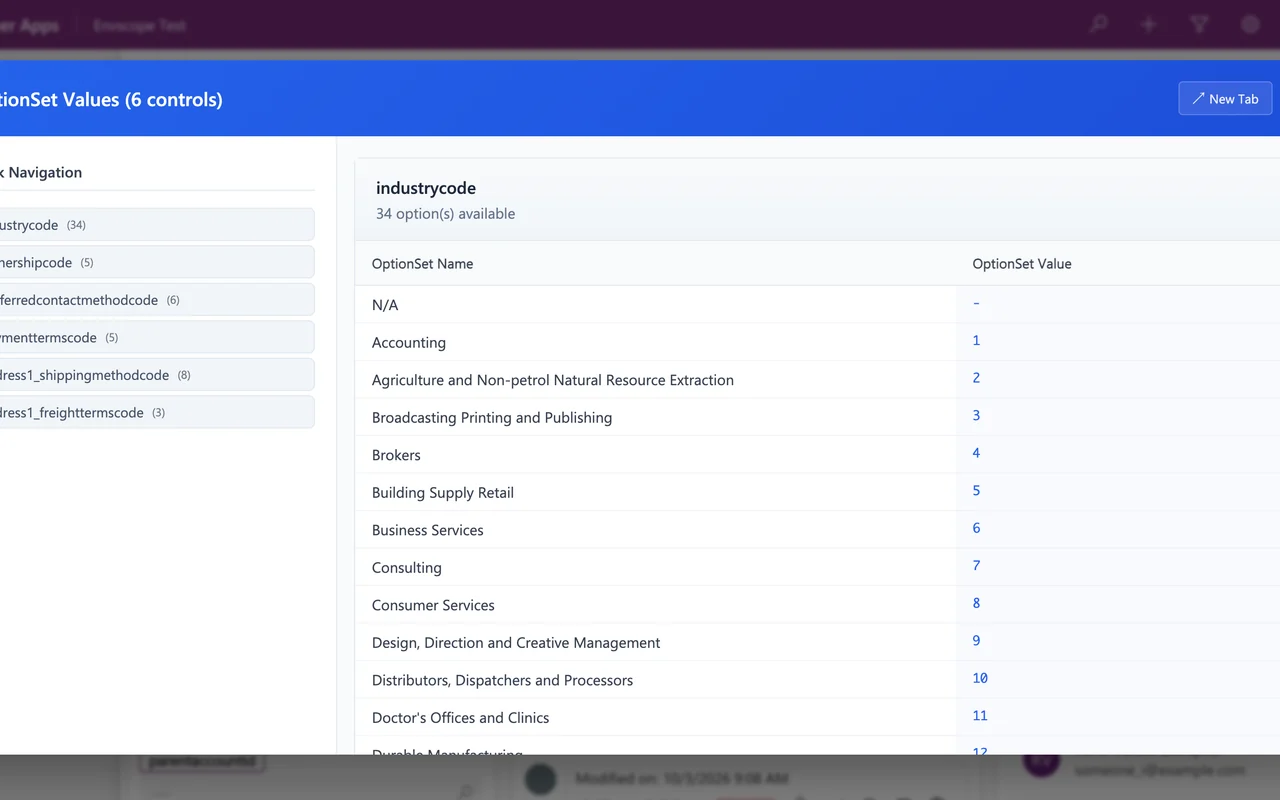
- Forms Logical names of fields, tabs and sections. All fields of a record, including the ones the form hides. Option set values. God mode for the current session. Record URL and ID, clone, open in the Web API.
- Navigation Open a record by ID, create a record, open any table list, and jump to security, solutions, system jobs, processes and the Power Platform admin center.
- Admin and debugging Impersonate another user, check privileges, forms monitor, command checker, performance center, and switch off form handlers or business rules to isolate a problem.
- Fixed All Fields and Open in Web API ask Dynamics 365 for the table's real Web API name, so they work for opportunity, cities and any irregular plural. The extension runs only on Dynamics 365 domains.
Getting started in Microsoft Edge
- Add Envscope from Microsoft Edge Add-ons and pin its icon to the toolbar.
- Open a model-driven app in Dynamics 365 and click the Envscope icon. The admin tools are there.
- To compare, open the second environment in another tab and sign in, then click Compare environments.
- Pick environment A and B, choose one table or the list of tables, and click Compare.
Envscope pricing
The admin tools are free, and so are 3 environment comparisons a month. Envscope Pro removes the limit and adds CSV export: $15 per user a month or $144 a year, with a 14-day free trial. Pricing details.
Honest limits of Envscope
- Metadata only Envscope reads configuration metadata. It does not copy, export or store your customers' records.
- Your permissions, nothing more It works inside your own signed-in session and can only see what your Dynamics 365 role already allows.
- Comparison stays in your browser Both environments are read through your own sessions. The only thing our server sees is your licence key when Envscope checks it.
- Online only Dynamics 365 online, including the US government and China clouds. On-premises installations are not supported yet.
More plugins and apps
Querying Azure Cosmos DB from a JetBrains IDE? Orbit for Cosmos DB. API docs in Confluence? OpenAPI & Swagger Viewer. All products.
Envscope continues the open-source Level Up extension by Natraj Yegnaraman (MIT licence). It is an independent product and is not affiliated with, endorsed by or sponsored by Microsoft. Microsoft, Dynamics 365 and Power Apps are trademarks of the Microsoft group of companies. Questions: contact@jimapps.dev