 Jim Apps
Orbit for Cosmos DB: query and edit data in JetBrains IDEs
Orbit for Cosmos DB is a Cosmos DB plugin for IntelliJ IDEA, Rider and every JetBrains IDE. Browse databases and containers, run NoSQL queries and edit documents without the Azure portal. Every query shows what it cost in request units, so an expensive query is caught on your machine, not on the bill.
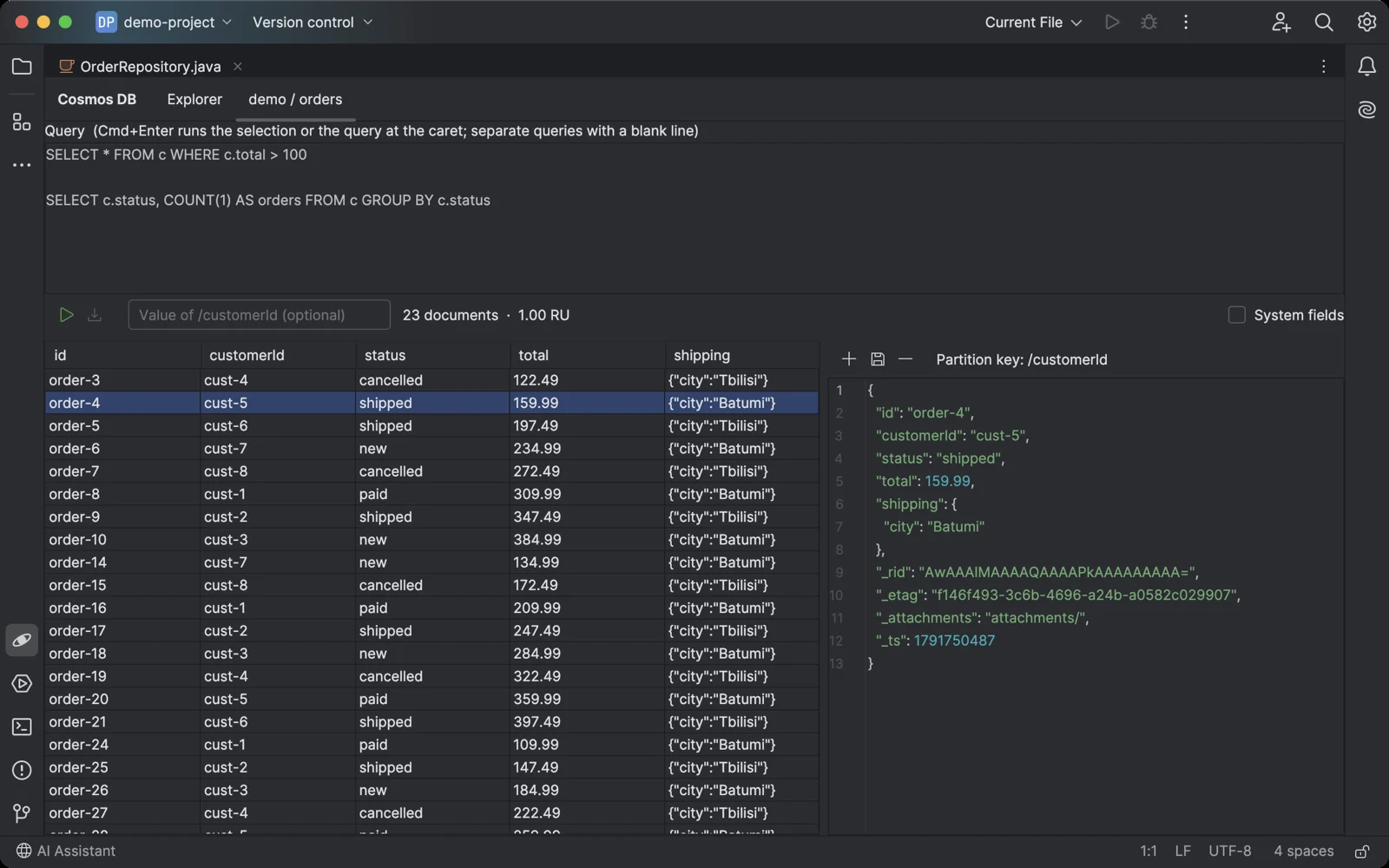
A query, its results as a table, the request charge, and the selected document as editable JSON.
Why a Cosmos DB plugin for JetBrains IDEs
The database tools built into JetBrains IDEs connect through JDBC drivers, and Cosmos DB has no free one. Developers end up switching to the Azure portal to look at a document. Microsoft's own toolkit lists documents only in IntelliJ IDEA and has no query editor; Rider, PyCharm, WebStorm, PhpStorm and GoLand get nothing at all.
What Orbit for Cosmos DB does
- Queries with their price Run Cosmos DB NoSQL queries and read the results as a table, with columns built from the fields your documents really have. The request charge in RU is shown for every run.
- Documents as JSON Select a row to see the whole document. Edit and save it, create a new one or delete it. The partition key is read from the document, so you never type it twice.
- Several queries in one box Keep your usual queries in the box separated by blank lines; Cmd+Enter runs the one at the caret.
- Delete or update everything a query finds Cosmos DB has no DELETE or UPDATE statement. Run a query, then delete every document it finds or set or remove one field in each, after a count and a confirmation. Paid.
- Read-only when it matters Mark a connection read-only and saving and deleting are switched off for it. Use it for production, with a read-only key if you like.
- Emulator in one click Connect to the local Cosmos DB emulator without looking up its key, or paste the connection string from the Azure portal.
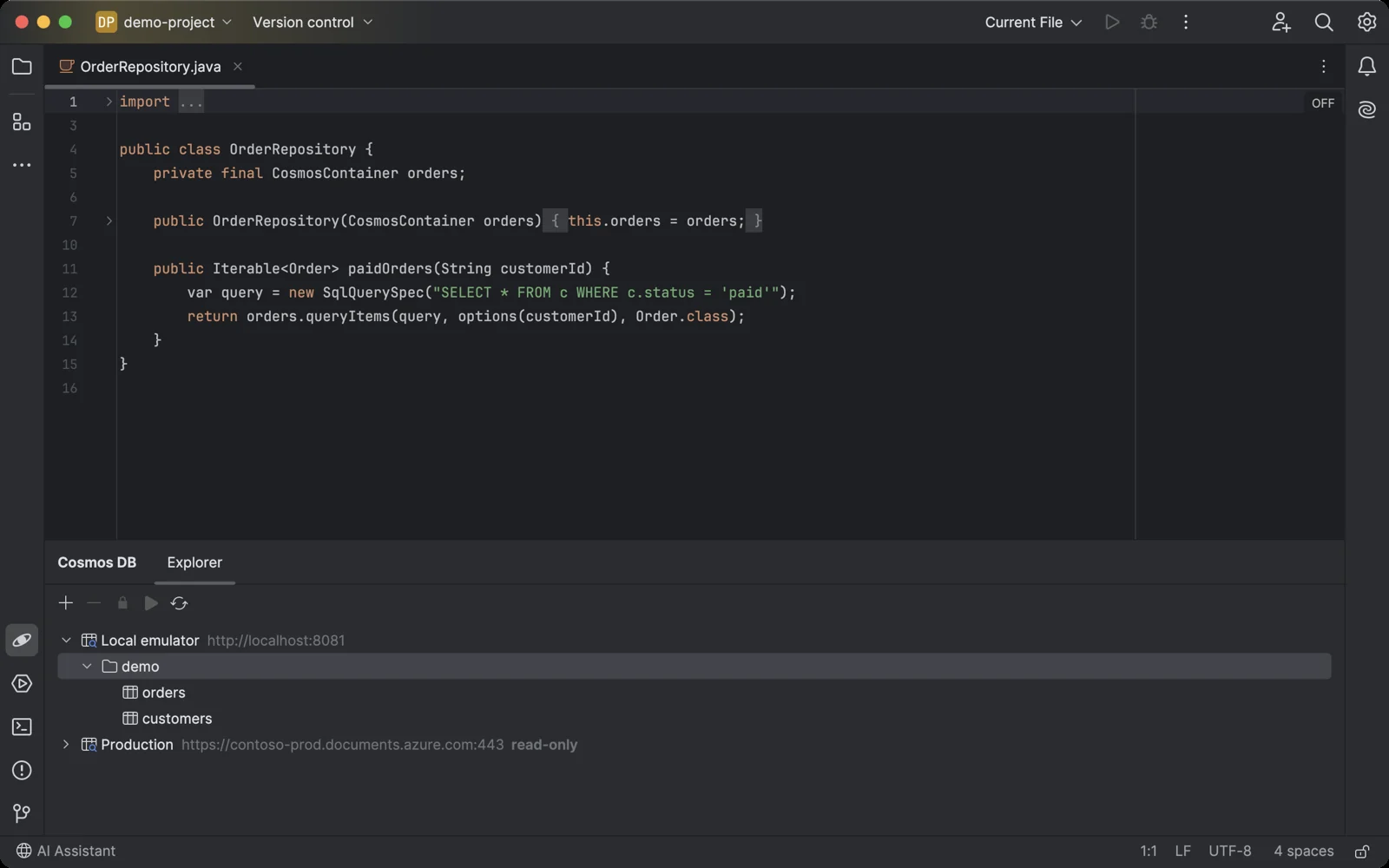
The Cosmos DB tool window sits under your code, like any other IDE tool.
Getting started in your JetBrains IDE
- Install Orbit for Cosmos DB in the IDE: Settings → Plugins → Marketplace, search for "Orbit for Cosmos DB". Or open its Marketplace page.
- Open the Cosmos DB tool window at the bottom of the IDE and click +.
- Paste the primary connection string from Azure portal → your Cosmos DB account → Keys, or click Use Local Emulator.
- Expand the connection and a database, then double-click a container.
- Type a query and press Cmd+Enter (Ctrl+Enter on Windows and Linux).
Orbit for Cosmos DB pricing
Free trial, then a subscription sold through JetBrains Marketplace. Every feature works during the trial. After it, the free version keeps one read-only connection and shows the first 10 results of a query; a license unlocks any number of connections, changes, all results and bulk changes (delete or update every document a query finds). If you used a connection before the free version was limited, your first connection stays free with everything it had.
More plugins and apps
Writing API docs in Confluence? OpenAPI & Swagger Viewer renders OpenAPI and Swagger specs on the page. Working with Dynamics 365? Envscope shows what differs between dev, test and production. All products.
Orbit for Cosmos DB is not affiliated with Microsoft. Azure and Cosmos DB are trademarks of Microsoft. Questions: contact@jimapps.dev