 Jim Apps
Orbit for Neo4j: run Cypher in JetBrains IDEs, see the graph
Orbit for Neo4j is a Neo4j plugin for IntelliJ IDEA, PyCharm and every JetBrains IDE. Write Cypher in the IDE and see the answer as a graph or a table, without switching to Neo4j Browser. Completion knows your database: labels, relationship types and property keys come from the server you are connected to.
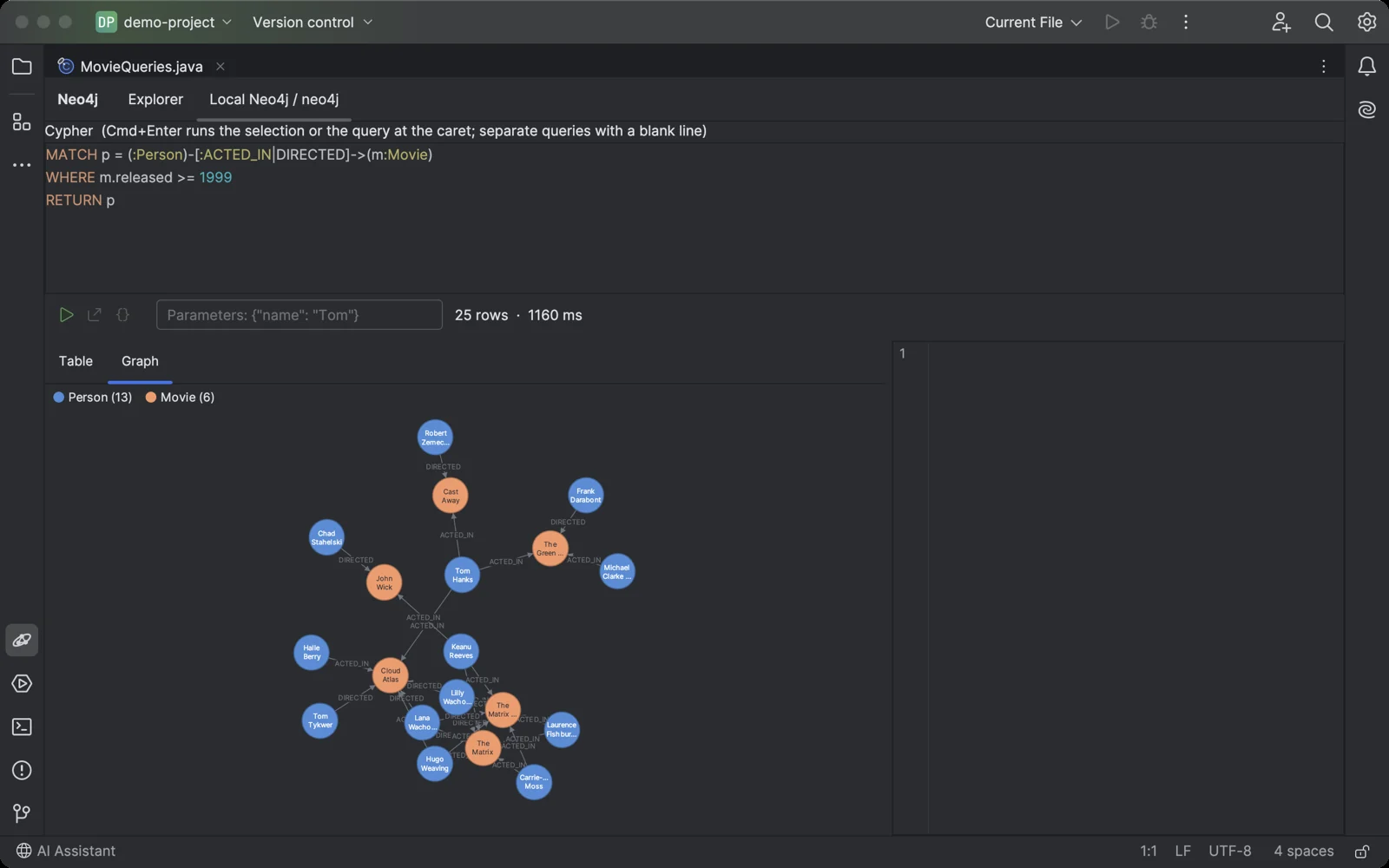
A Cypher query and its result as a graph you can drag, pan and zoom.
Why a Neo4j plugin for JetBrains IDEs
The database tools built into JetBrains IDEs speak SQL, and Neo4j speaks Cypher. Developers end up keeping Neo4j Browser open in another window to check what their code just wrote. Older community plugins for graph databases have not kept up with recent IDE and Neo4j versions.
What Orbit for Neo4j does
- Results as a graph Nodes and relationships are laid out for you. Drag a node, pan, zoom, and click anything to read its labels and properties. Relationships between the nodes a query returns are drawn too, so MATCH (n) RETURN n still shows how they connect.
- Run Cypher from your code Put the caret in a query string in Java, Kotlin, Python or any other language, or in a .cypher file, and press Ctrl+Shift+Alt+Enter (Cmd+Shift+Option+Enter on macOS). The query runs in the console with its parameters. Select text to run exactly that.
- Cypher that knows your data Highlighting, plus completion of keywords and functions, node labels inside ( ), relationship types inside [ ] and property keys after a dot, read from the open database.
- Tables and JSON Every result is also a table. Select a row to see it as JSON, or export the result as CSV or JSON. Like Neo4j Browser, the first 1000 rows are shown and the rest is left on the server.
- Parameters and scripts Pass $parameters as JSON. Run several statements separated by semicolons, or keep your usual queries separated by blank lines: Cmd+Enter runs the one at the caret.
- CSV from your computer Import a CSV file as nodes, also into AuraDB, where LOAD CSV cannot read a local file. With a key column a second import updates the nodes instead of duplicating them. Paid.
- Read-only when it matters Mark a connection read-only and every query runs in a read transaction that is rolled back, so nothing is saved. Use it for production.
- The Neo4j you already run Neo4j 4.4, 5, 2025 and 2026 on your machine or server, AuraDB, and Memgraph, over Bolt with the official Neo4j driver. Test a connection before saving it, or import the connection file AuraDB gives you.
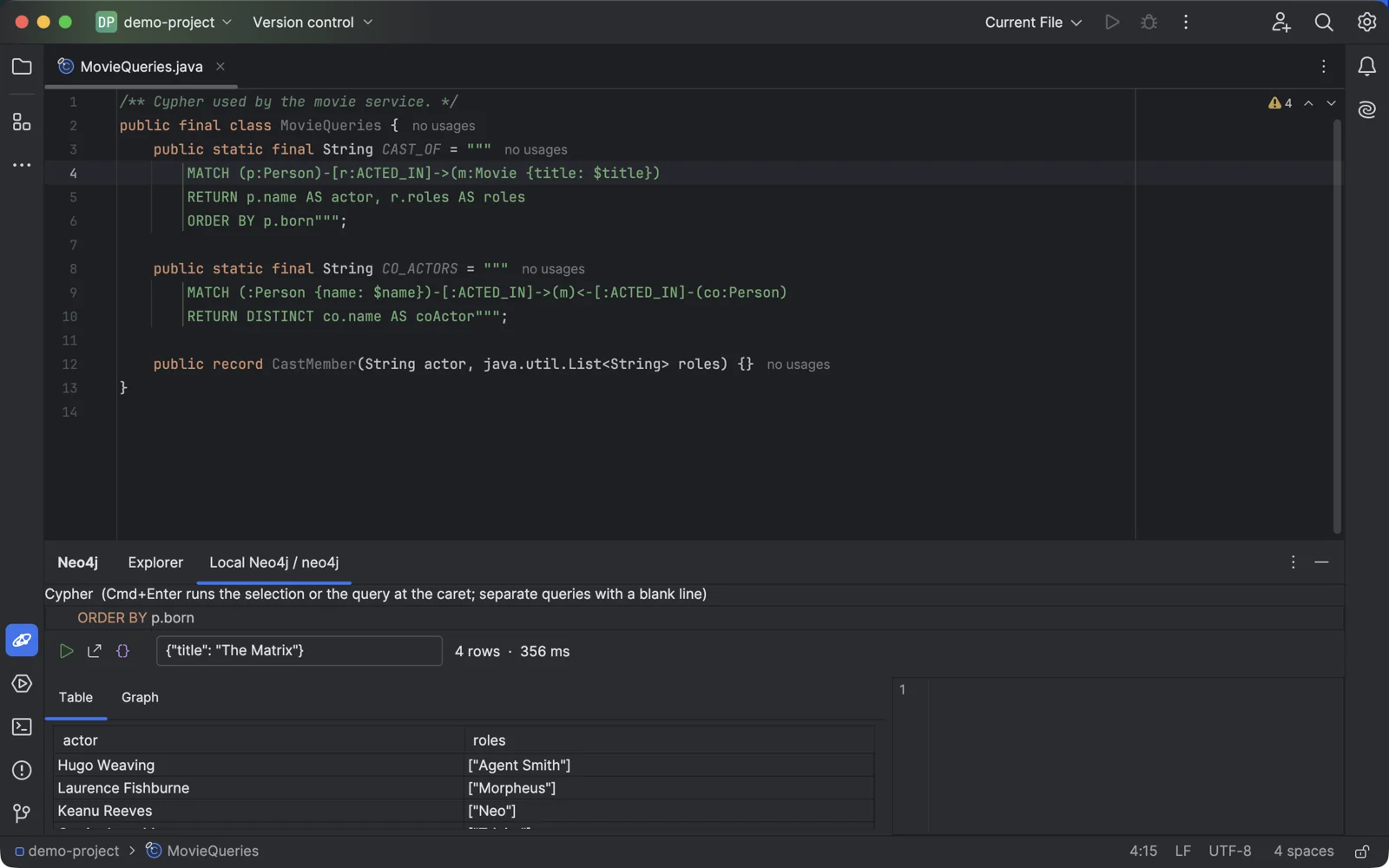
The caret in a query string in your code, one shortcut, and the result is in the console.
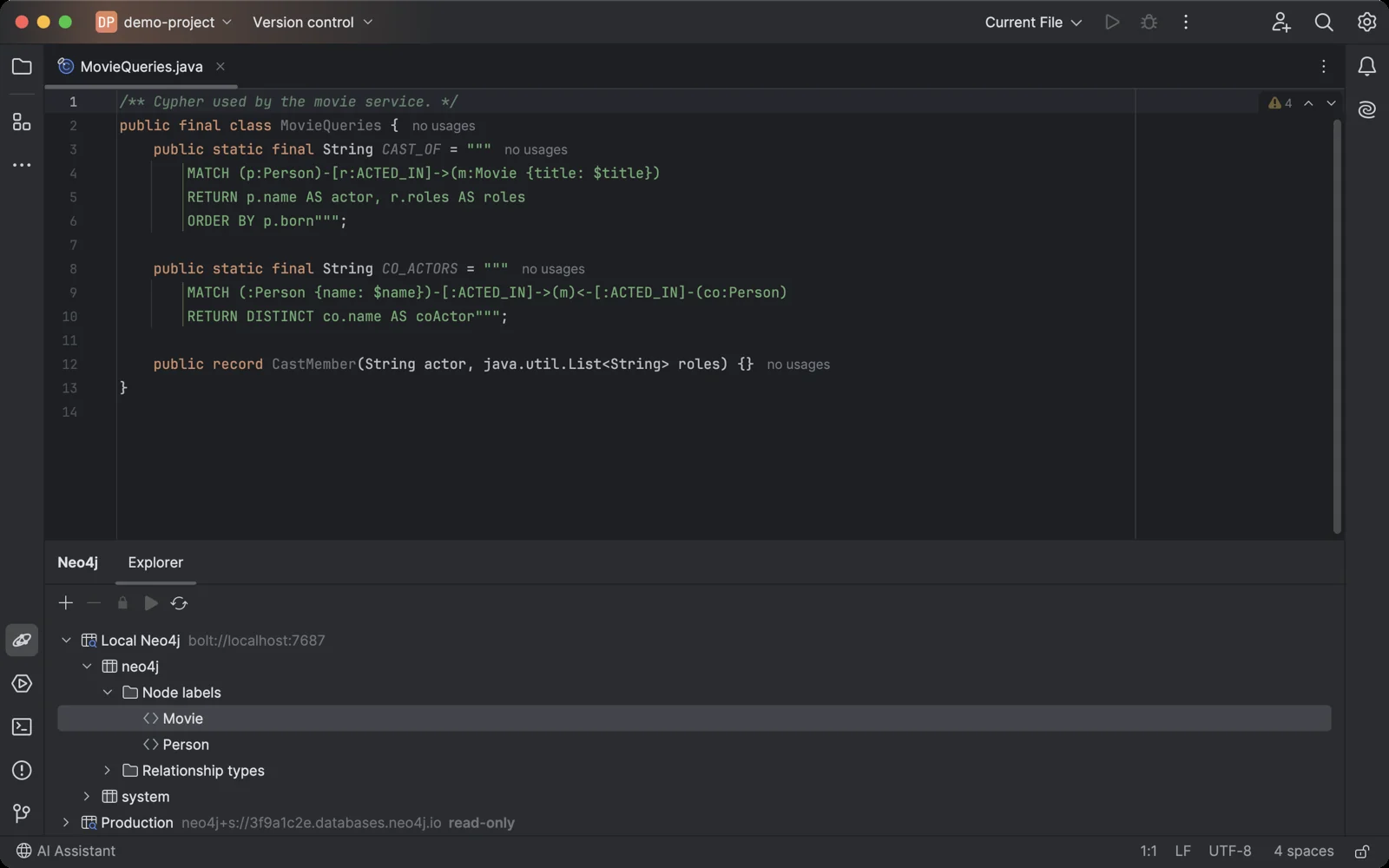
The Neo4j tool window sits under your code, like any other IDE tool. Double-click a label to see its first nodes.
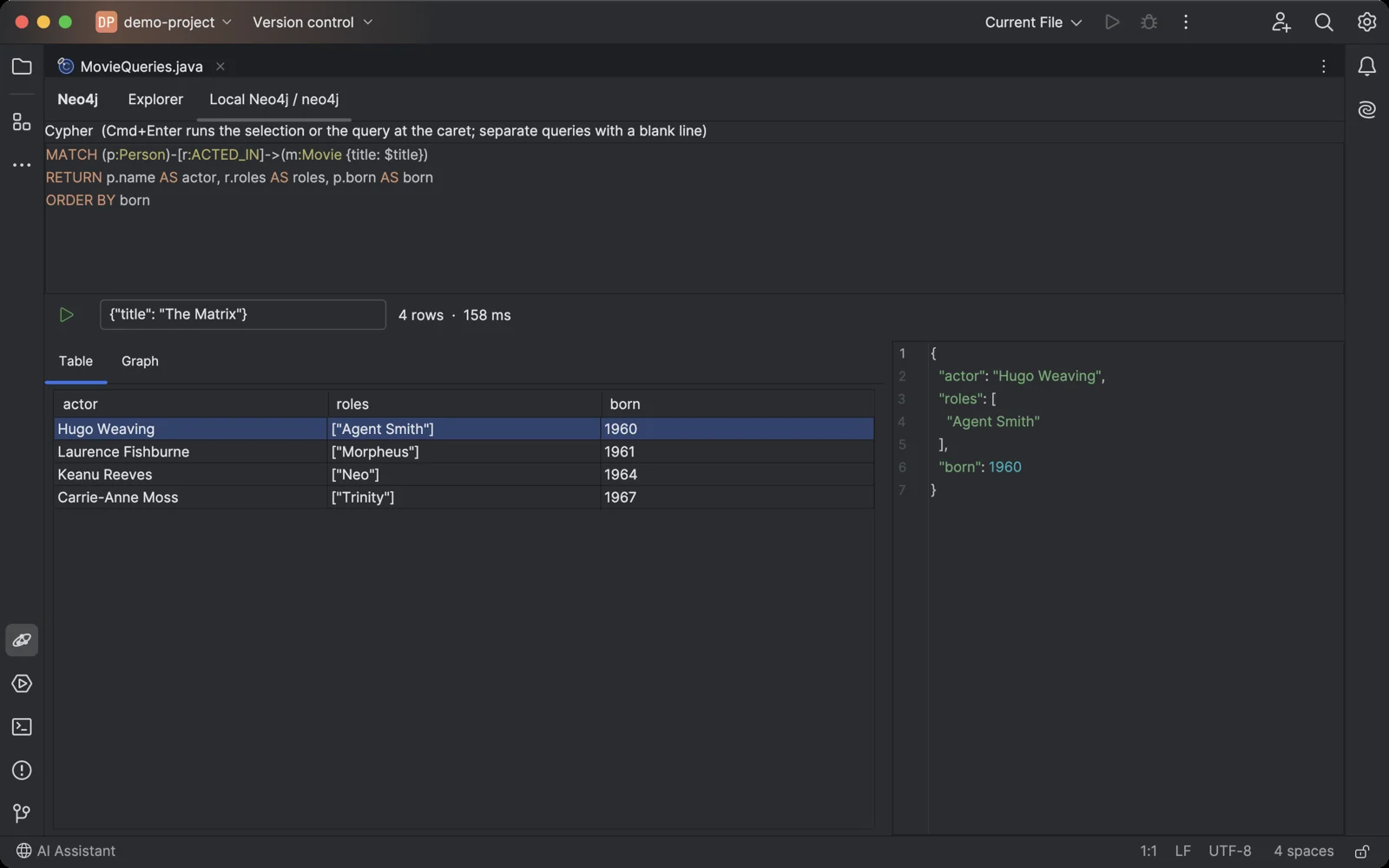
A query with a parameter, its result as a table, and the selected row as JSON.
Getting started in your JetBrains IDE
- Install Orbit for Neo4j in the IDE: Settings → Plugins → Marketplace, search for "Orbit for Neo4j".
- Open the Neo4j tool window at the bottom of the IDE and click +.
- Enter the connection URI (
bolt://localhost:7687for a local server or Memgraph,neo4j+s://…for AuraDB), the user and the password. - Expand the connection and pick a database. Double-click a node label or relationship type to see its first records, or select the database and click Run to open a query console.
- Write Cypher and press Cmd+Enter (Ctrl+Enter on Windows and Linux). To run a query from your code, put the caret in it and press Cmd+Shift+Option+Enter (Ctrl+Shift+Alt+Enter).
Orbit for Neo4j pricing
Free trial, then a subscription sold through JetBrains Marketplace: $3 a month or $30 a year for personal use, $7 a month or $70 a year for organizations. Every feature works during the trial. After it, the free version keeps one read-only connection and shows the first 10 results of a query; a license unlocks any number of connections, changes, all results and CSV import from your computer. If you used a connection before the free version was limited, your first connection stays free with everything it had.
More plugins and apps
Also on Azure? Orbit for Cosmos DB brings Cosmos DB queries into the same IDEs. Writing API docs in Confluence? OpenAPI & Swagger Viewer renders OpenAPI and Swagger specs on the page. All products.
Orbit for Neo4j is not affiliated with Neo4j, Inc. or Memgraph Ltd. Neo4j and AuraDB are trademarks of Neo4j, Inc.; Memgraph is a trademark of Memgraph Ltd. Questions: contact@jimapps.dev