 Jim Apps
Orbit for InfluxDB: Flux and InfluxQL in JetBrains IDEs
Orbit for InfluxDB is a InfluxDB plugin for IntelliJ IDEA, GoLand and every JetBrains IDE. Query InfluxDB 2.x and 1.x with Flux or InfluxQL in the IDE and see the answer as a table or a chart, without switching to the InfluxDB UI. Completion knows your database: buckets, measurements, fields and tags come from the server you are connected to.
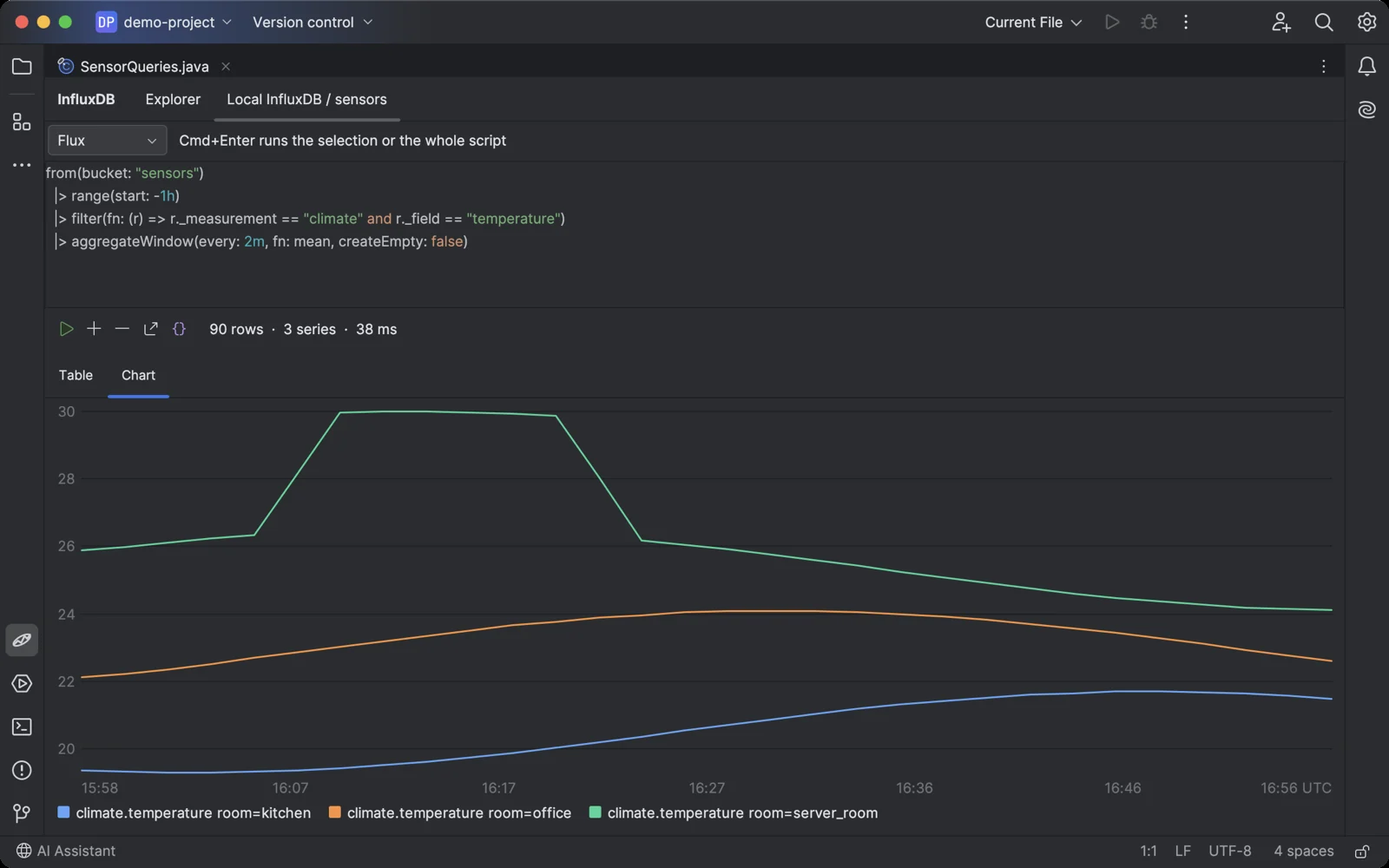
A Flux query and its result as a chart, one line per series.
Why a InfluxDB plugin for JetBrains IDEs
The database tools built into JetBrains IDEs speak SQL over JDBC, and InfluxDB 2.x and 1.x speak Flux and InfluxQL over HTTP. The request to support InfluxDB in DataGrip has been open for years. Meanwhile developers keep the InfluxDB UI or Chronograf open in a browser to look at raw points, and fix a wrong value from the command line.
What Orbit for InfluxDB does
- Flux and InfluxQL Highlighting, plus completion of keywords, functions, buckets, measurements, fields and tags read from the open bucket or database. On InfluxDB 2.x one console runs both languages: switch with one click.
- Tables and charts Every result is a sortable table. Numeric values with a time column are also drawn as a chart, one line per series and field, with the time on the axis in UTC. Hover a point to read its value.
- Browse before you query The tree shows buckets or databases, measurements, fields with their types and tags. Double-click a measurement or field to see its latest points, or a tag to see its values.
- Fix data, not just read it Write points as line protocol. A point with the same measurement, tags and timestamp replaces the old field values, so this is how a wrong reading gets corrected. On InfluxDB 2.x delete points by time range and tag predicate; on 1.x use DELETE and DROP in InfluxQL.
- Import any CSV A plain spreadsheet export becomes points: pick the time column and the tag columns, the other columns become fields. No annotations needed. Paid.
- Run queries from your code Put the caret in a query string in Java, Kotlin, Go, Python or any other language, or in a .flux or .influxql file, and press Ctrl+Shift+Alt+Enter (Cmd+Shift+Option+Enter on macOS). The plugin tells Flux from InfluxQL by itself.
- Safe with big buckets Results are read as a stream and cut at 10,000 rows, so a query without a limit cannot freeze the IDE. Export what you see as CSV or JSON.
- Read-only when it matters Mark a connection read-only and the plugin refuses writes, deletes and queries that change data. Use it for production, together with a read-only token.
- The InfluxDB you already run InfluxDB 2.x with an organization and API token, including InfluxDB Cloud on the TSM engine, and InfluxDB 1.x with a user and password or without authentication. Tested on InfluxDB 2.7, 1.8 and 1.11.
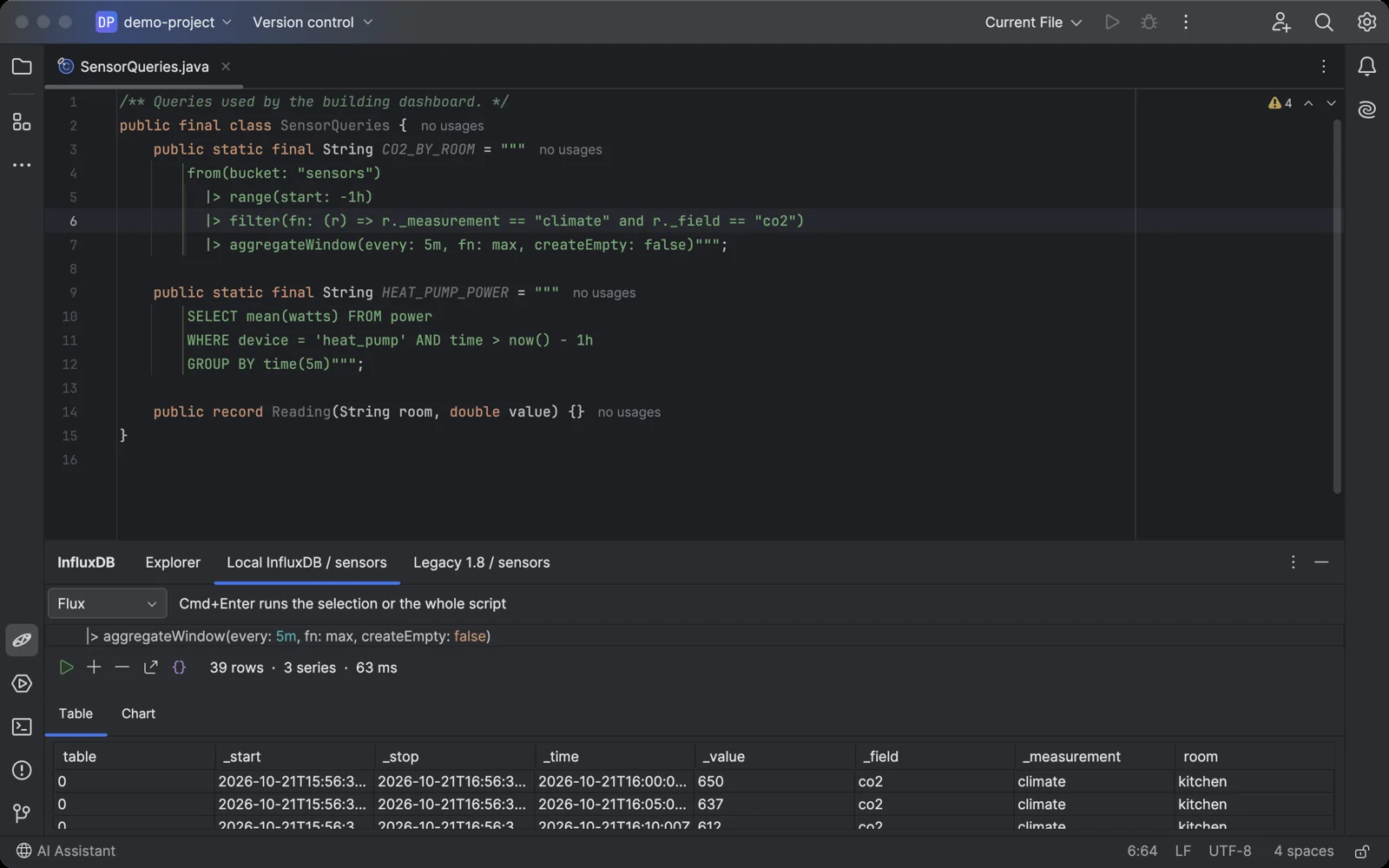
The caret in a query string in your code, one shortcut, and the result is in the console.
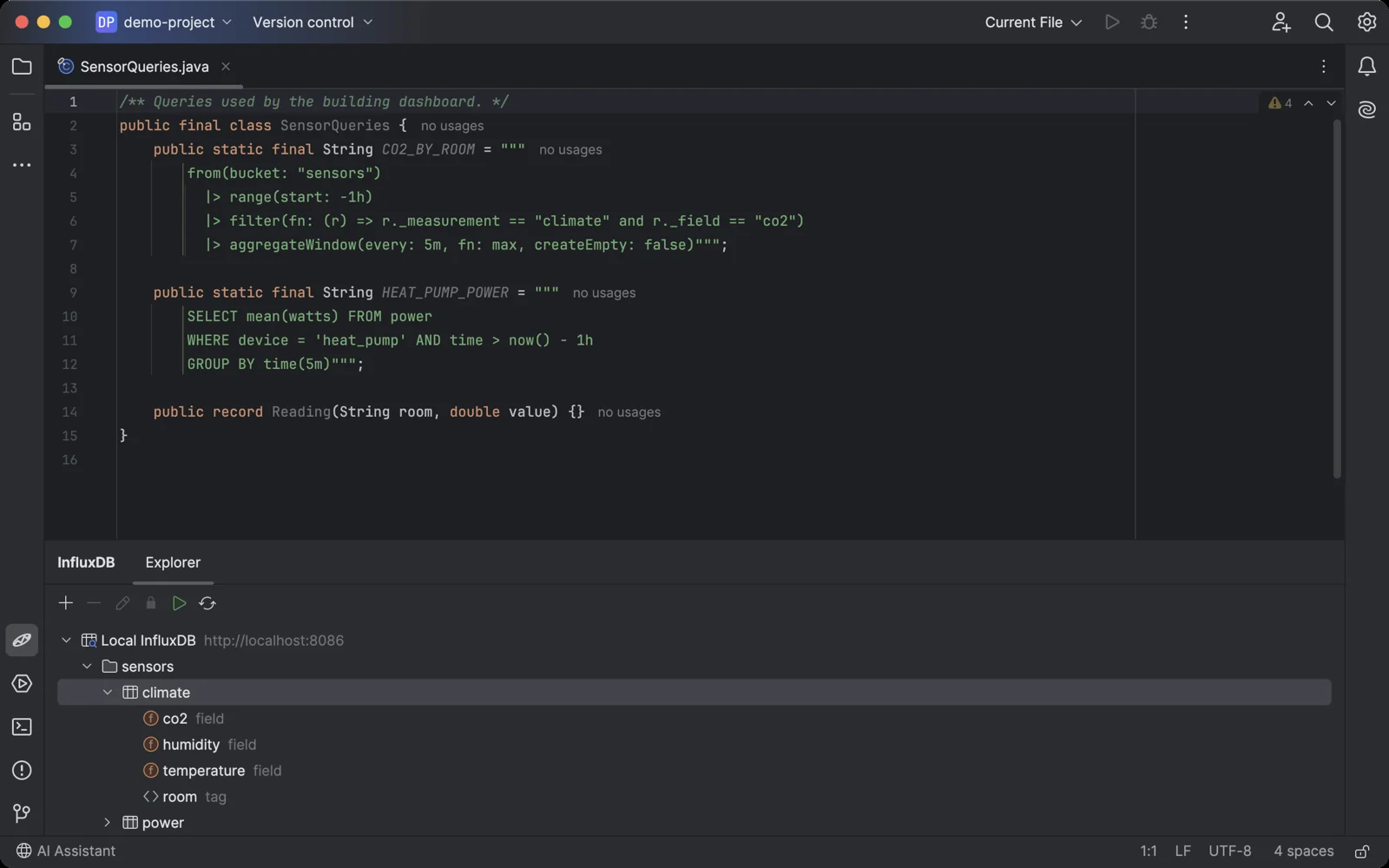
The InfluxDB tool window sits under your code, like any other IDE tool.
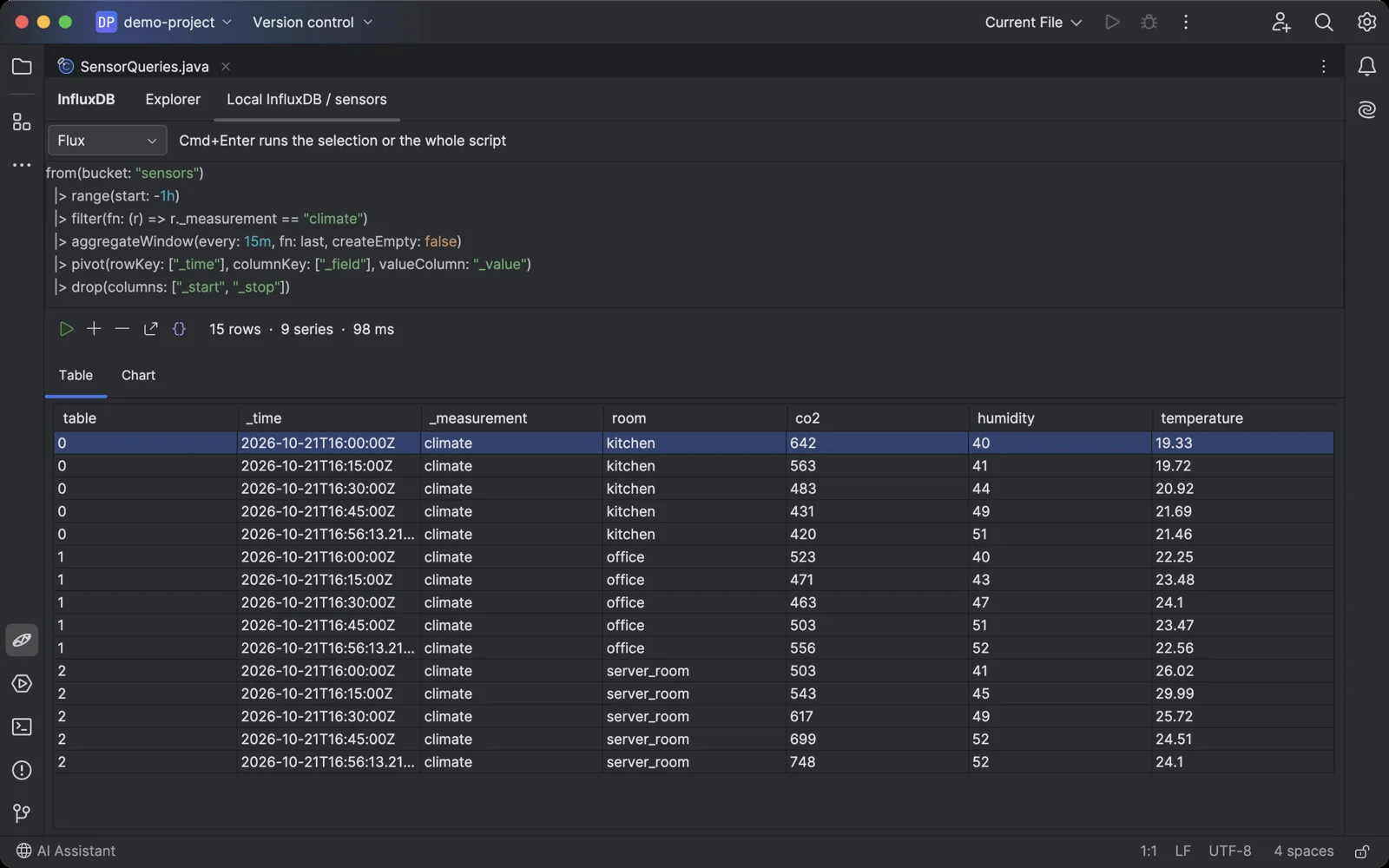
A Flux query with pivot: one row per room and time, one column per field.
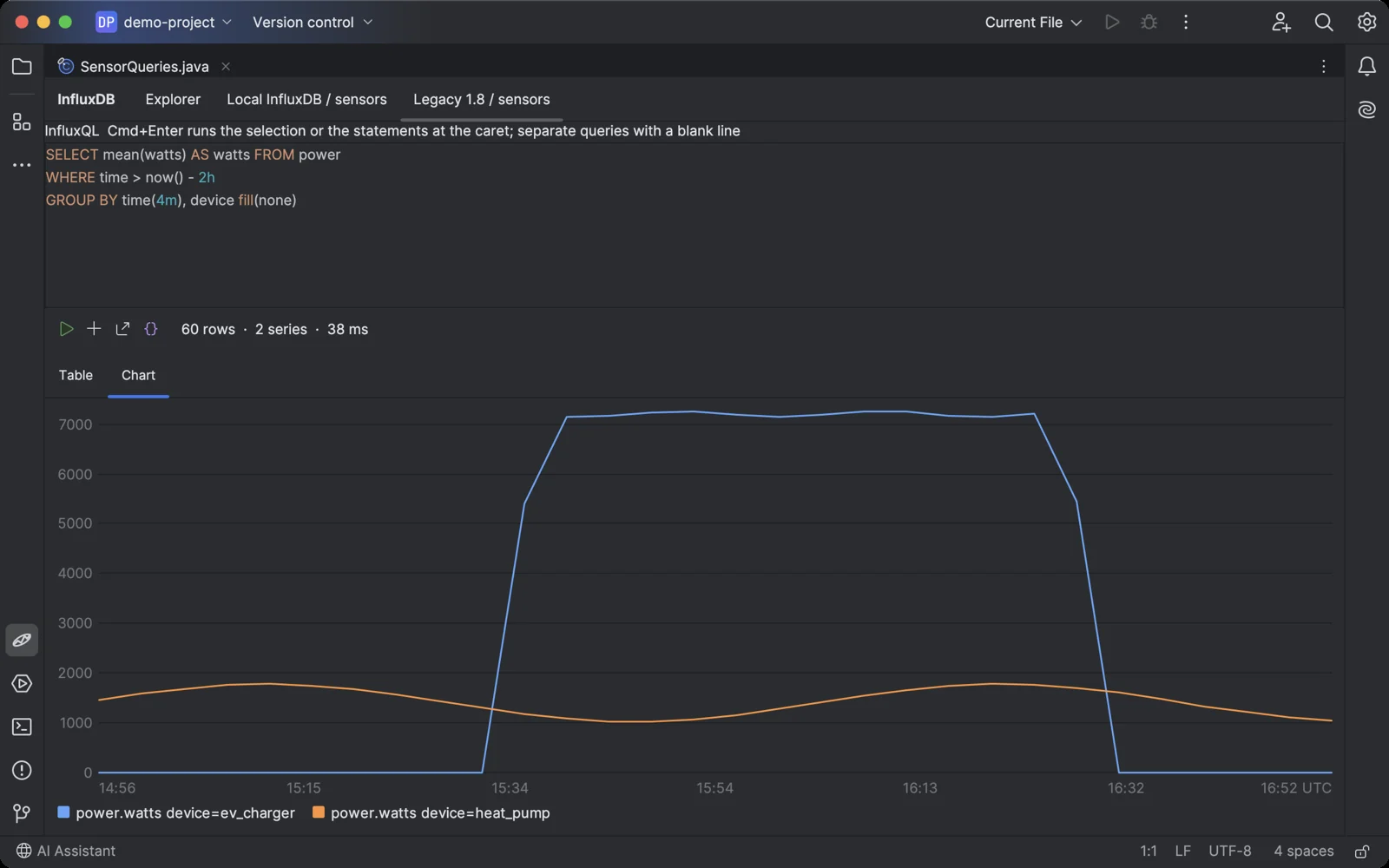
InfluxQL on InfluxDB 1.8: GROUP BY time and tag, drawn as a chart.
Getting started in your JetBrains IDE
- Install Orbit for InfluxDB in the IDE: Settings → Plugins → Marketplace, search for "Orbit for InfluxDB".
- Open the InfluxDB tool window at the bottom of the IDE and click +.
- Choose InfluxDB 2.x and enter the URL (
http://localhost:8086for a local server), the organization and an API token, or choose InfluxDB 1.x and enter the URL, the user and the password. Click Test Connection. - Expand the connection and a bucket or database. Double-click a measurement or field to see its latest points, or select the bucket and click Run to open a query console.
- Write Flux or InfluxQL and press Cmd+Enter (Ctrl+Enter on Windows and Linux). Switch between Table and Chart. To run a query from your code, put the caret in it and press Cmd+Shift+Option+Enter (Ctrl+Shift+Alt+Enter).
Orbit for InfluxDB pricing
Free trial, then a subscription sold through JetBrains Marketplace: $3 a month or $30 a year for personal use, $7 a month or $70 a year for organizations. Every feature works during the trial. After it, the free version keeps one read-only connection and shows the first 10 results of a query; a license unlocks any number of connections, changes, all results and CSV import. If you used a connection before the free version was limited, your first connection stays free with everything it had.
More plugins and apps
Other databases in the same IDEs: Orbit for Cosmos DB and Orbit for Neo4j. All products.
Orbit for InfluxDB is not affiliated with InfluxData, Inc. InfluxDB and Flux are trademarks of InfluxData, Inc. Questions: contact@jimapps.dev