 Jim Apps
Orbit for Consul: K/V store and services in JetBrains IDEs
Orbit for Consul is a Consul plugin for IntelliJ IDEA, GoLand and every JetBrains IDE. Browse and edit the Consul K/V store in the IDE, with YAML and JSON highlighting, and see which services are failing their health checks, without the Consul UI in another tab. Compare staging with production key by key in the IDE diff viewer before a release.
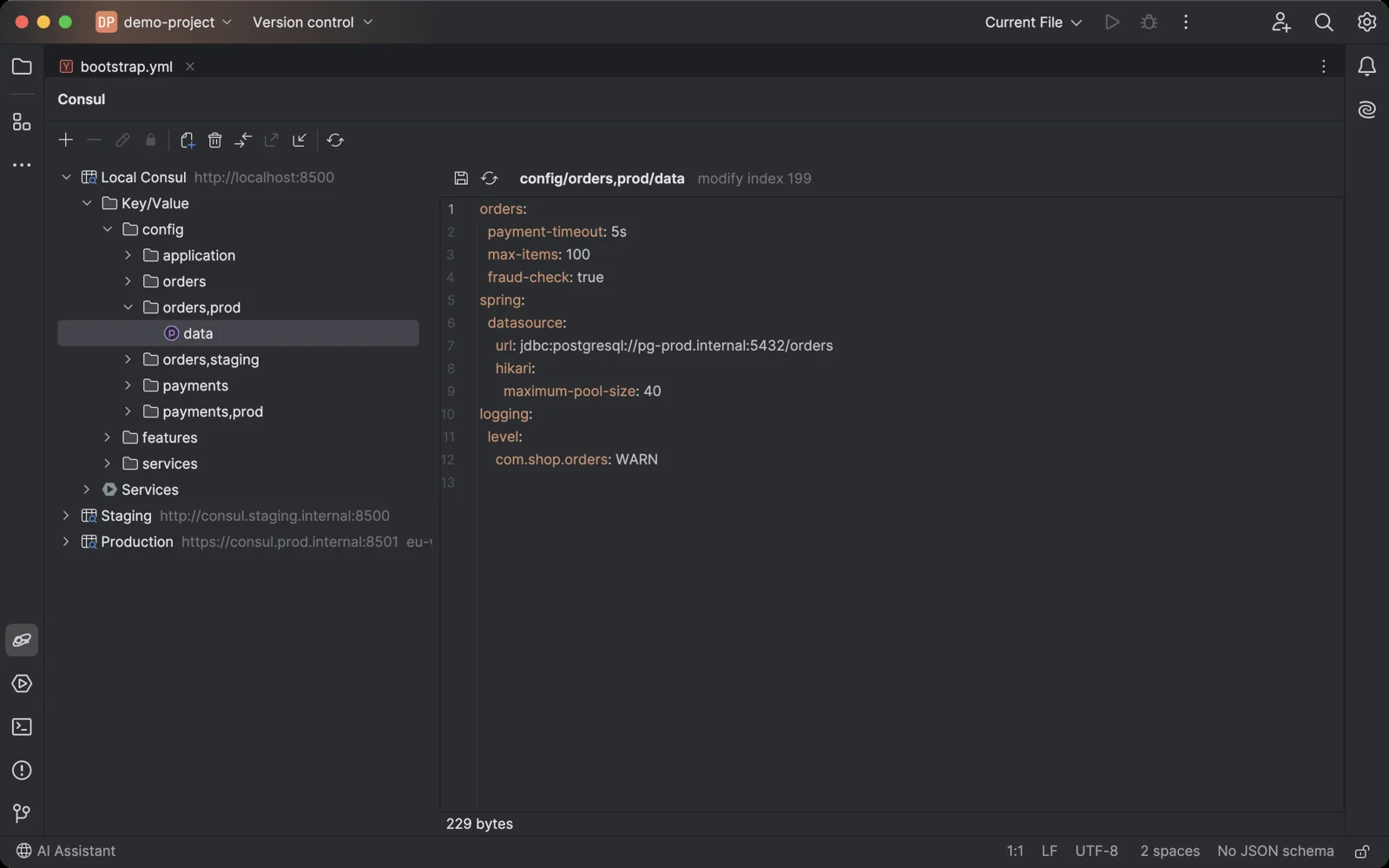
Spring Cloud Consul configuration in the K/V store, highlighted as YAML, under your bootstrap.yml.
Why a Consul plugin for JetBrains IDEs
Configuration and service discovery live in Consul, and developers keep the Consul UI or the consul CLI open in another window to check a value or see why a service is unhealthy. The Consul K/V plugin for JetBrains IDEs stopped at version 2025.2.
What Orbit for Consul does
- Edit values with highlighting JSON, YAML, properties and XML are recognized from the key name or the value itself. Press Cmd+S (Ctrl+S) to save.
- Saves that never overwrite a colleague Saving uses check-and-set: if someone changed the key after you opened it, you choose to overwrite it or reload it. Flags are kept, and each key shows its modify index and lock session.
- Compare environments Compare a key or a folder with another connection or another folder in the IDE diff viewer, for example config/orders,dev/ with config/orders,prod/, or staging with production.
- Export and import Save a folder as JSON in the consul kv export format and import such a file into any connection, to copy configuration between Consuls or keep it next to your code.
- Search every key and value Find where a host name or a setting is used: search the names and values of all keys under a folder and open a match. Paid.
- Services and health Every service with the worst status of its checks, its instances with node, address, port and tags, and each health check with its output.
- Read-only when it matters Mark a connection read-only and the plugin refuses to change keys. Use it for production, together with a token with read-only policies.
- The Consul you already run Any agent or server, with or without an ACL token, in any datacenter. Tested on Consul 1.15 and 2.0, with and without ACLs.
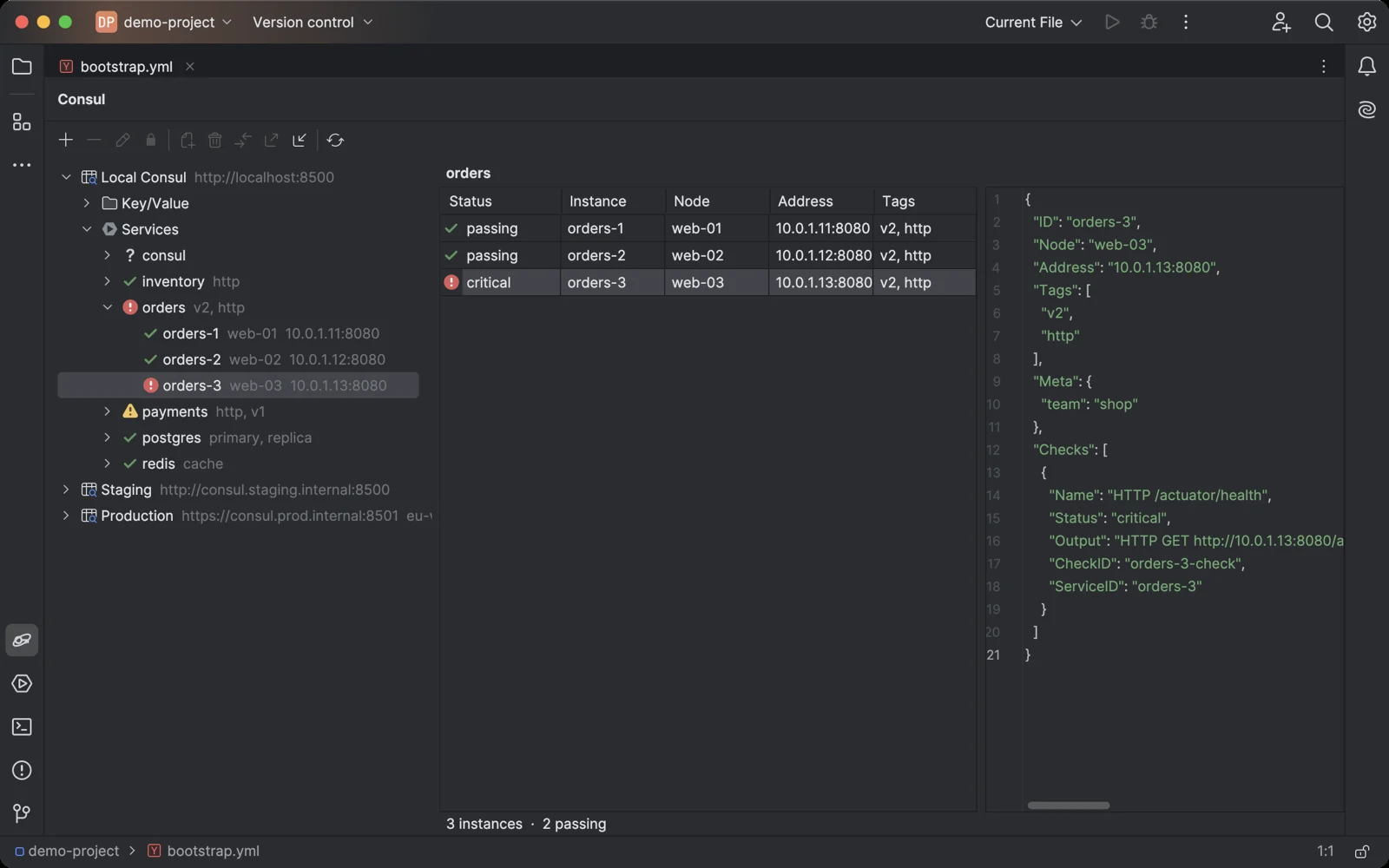
Staging and production side by side: the timeouts, pool size, database and log level that differ.
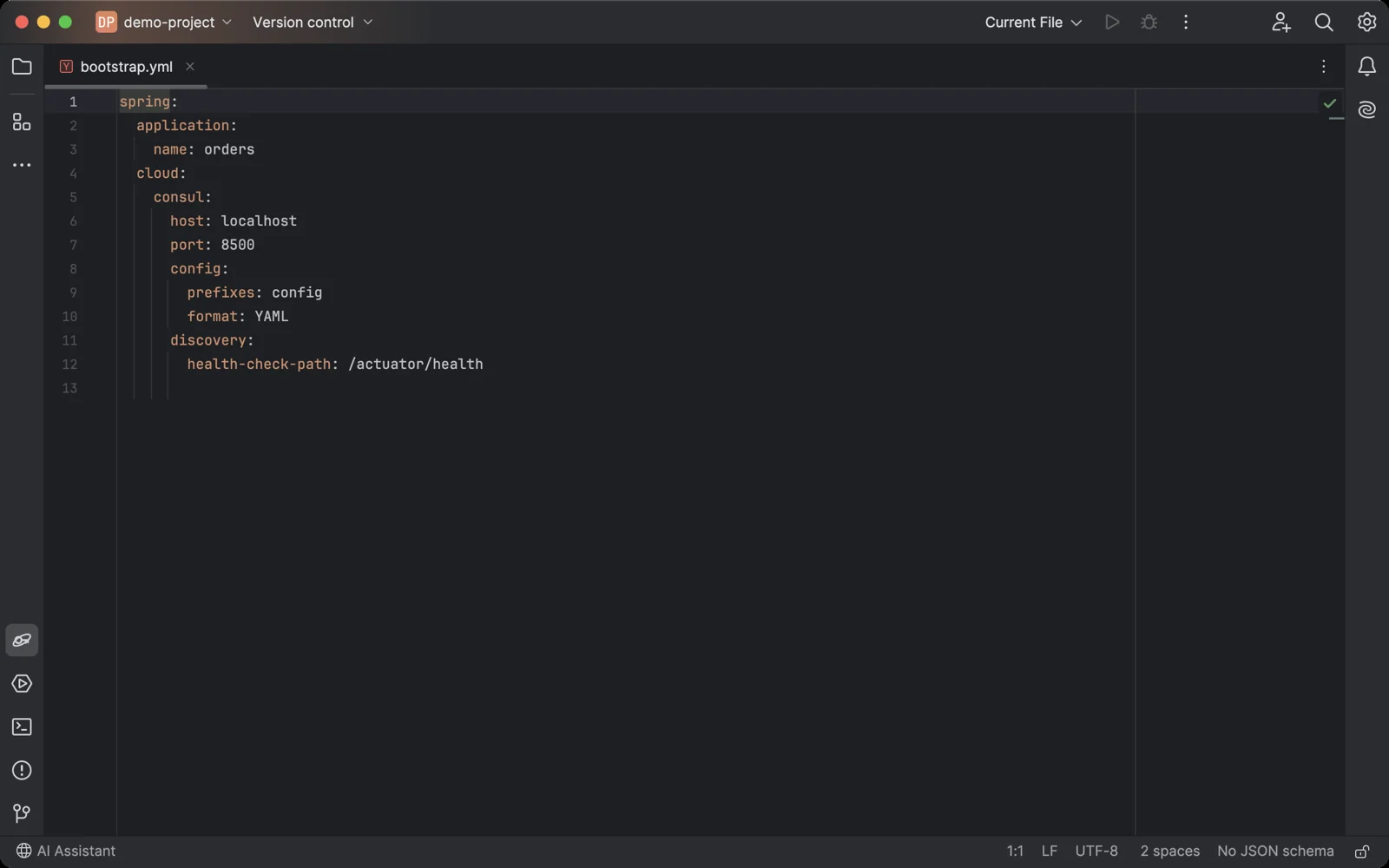
Services with their health, and the failing instance with the output of its check.
Getting started in your JetBrains IDE
- Install Orbit for Consul in the IDE: Settings → Plugins → Marketplace, search for "Orbit for Consul".
- Open the Consul tool window at the bottom of the IDE and click +.
- Enter the URL of any Consul agent or server (
http://localhost:8500for a local one), an ACL token if your Consul has ACLs, and a datacenter if it is not the agent's own. Click Test Connection. - Expand the connection. Under Key/Value, select a key to edit its value and press Cmd+S (Ctrl+S on Windows and Linux) to save it. Under Services, select a service to see its instances and health checks.
- To compare environments, select a key or folder and click Compare With. To copy keys between Consuls, use Export Folder as JSON and Import from JSON.
Orbit for Consul pricing
Free trial, then a subscription sold through JetBrains Marketplace: $3 a month or $30 a year for personal use, $7 a month or $70 a year for organizations. Every feature works during the trial. After it, the free version keeps one read-only connection and shows the first 10 keys of a folder and 10 services; a license unlocks any number of connections, changes, all results and search in all keys and values. If you used a connection before the free version was limited, your first connection stays free with everything it had.
More plugins and apps
Databases in the same IDEs: Orbit for Neo4j, Orbit for Cosmos DB, Orbit for InfluxDB and Orbit for Gremlin. All products.
Orbit for Consul is not affiliated with HashiCorp or IBM. Consul is a trademark of HashiCorp, an IBM company. Questions: contact@jimapps.dev