 Jim Apps
Orbit for Apache Solr: a query client in JetBrains IDEs
Orbit for Apache Solr is an Apache Solr client for IntelliJ IDEA, PyCharm, PhpStorm and every JetBrains IDE. Query collections and cores, see the documents, facets and the whole response, and edit documents next to your code, without the Solr Admin UI in another tab. Paste a query URL from a log and run it as it is.
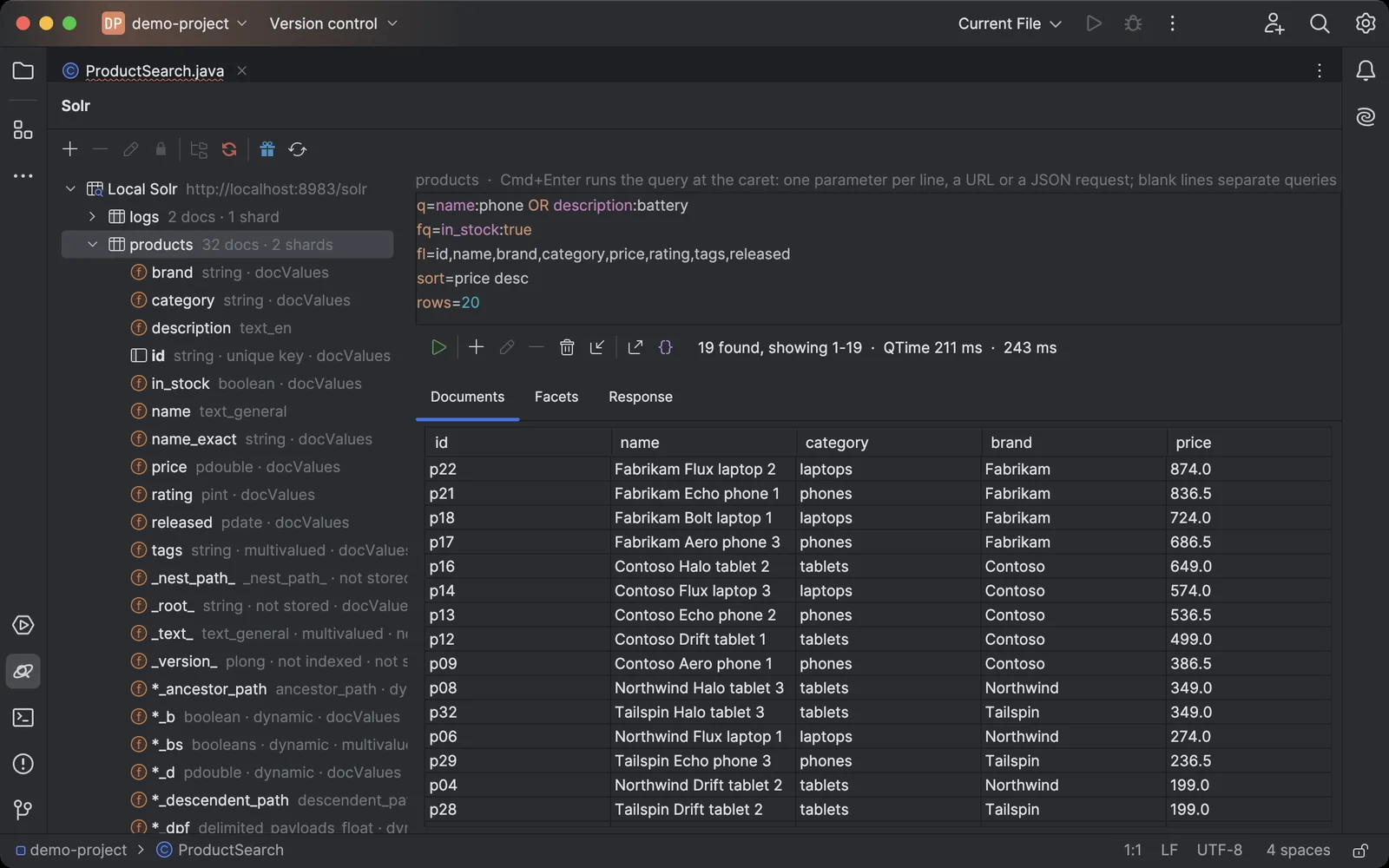
A query one parameter per line, the documents in a sortable table, and the schema of the collection on the left.
Why an Apache Solr client for JetBrains IDEs
Search code is written in the IDE, but Solr queries are tried in the Solr Admin UI or with curl, and a document is changed by posting JSON by hand. The database tools of JetBrains IDEs do not connect to Solr.
What Orbit for Apache Solr does
- Collections, cores and aliases The collections of SolrCloud with their health, shards and aliases, or the cores of a standalone Solr, with the number of documents in each.
- The schema at a glance Every field with its type and properties: unique key, multivalued, indexed, stored, docValues, and the dynamic field patterns. Double-click a field to see its top values.
- Queries the way you write them One parameter per line (q, fq, fl, sort, rows, facet.field and the rest), with highlighting and completion of parameters and fields. Paste a URL from a log or the Solr Admin UI, write a JSON request, or put another handler, like /suggest, on the first line.
- Documents, facets and the response Documents in a sortable table, facets in a table of their own, and the whole response as JSON. Export the documents to CSV or JSON.
- Edits that never overwrite a colleague Edit a document as JSON. Saving uses _version_: if someone changed the document after you opened it, you choose to overwrite it or reload it. Fields filled by copyField are left out, so they do not get their values twice.
- Add, delete and import Add documents, delete the selected ones or all that match a query after a count and a confirmation, and import a JSON, JSON Lines, CSV or Solr XML file. Reload a collection after its schema changed.
- Read-only when it matters Mark a connection read-only and the plugin refuses every change and sends queries as GET. Use it for production, together with a user that has read-only permissions.
- The Solr you already run Solr 8, 9 and 10, standalone or SolrCloud, with or without Basic authentication. Tested on Solr 8.11, 9.11 and 10.1.
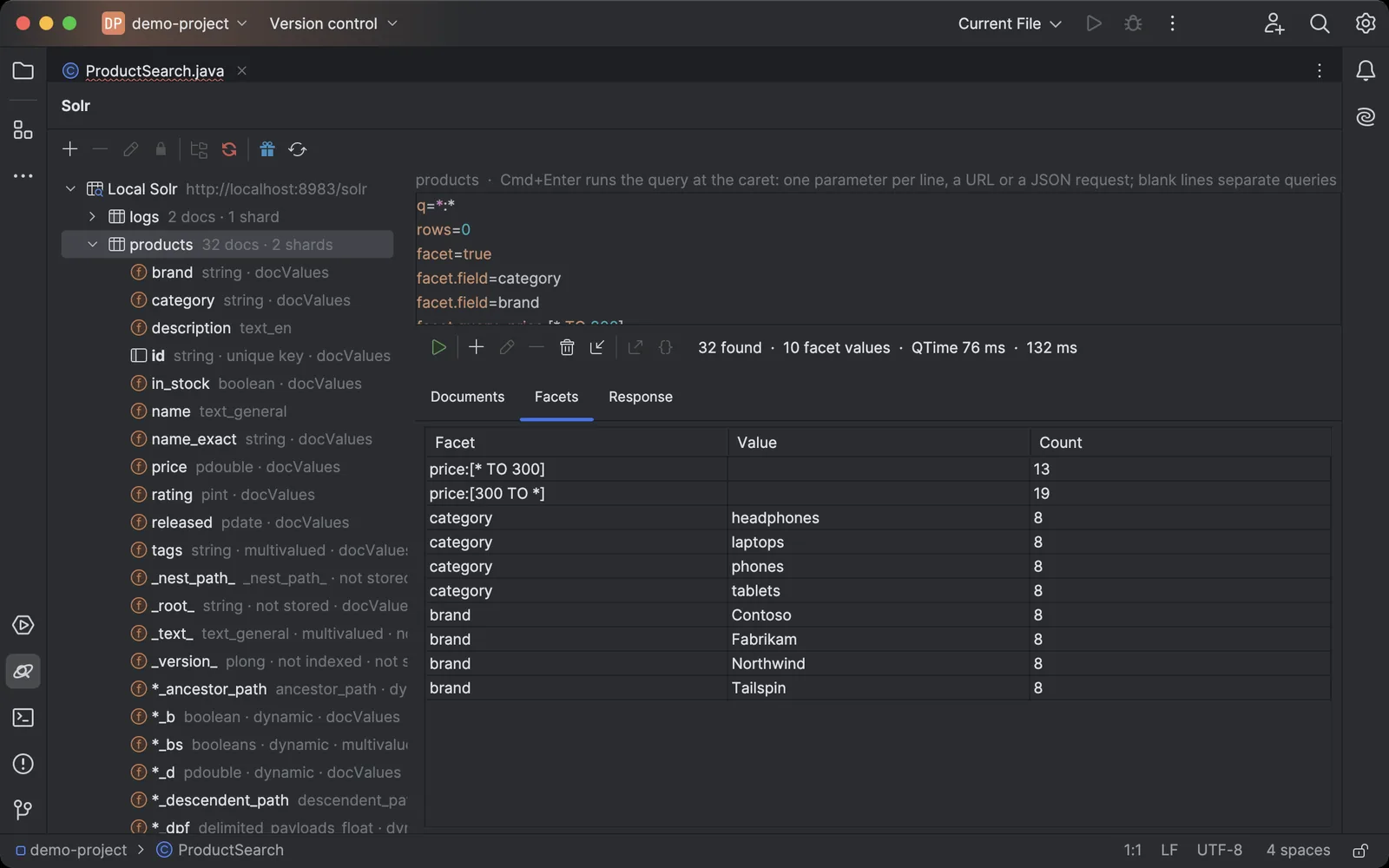
Field and query facets as a table: categories, brands and price ranges with their counts.
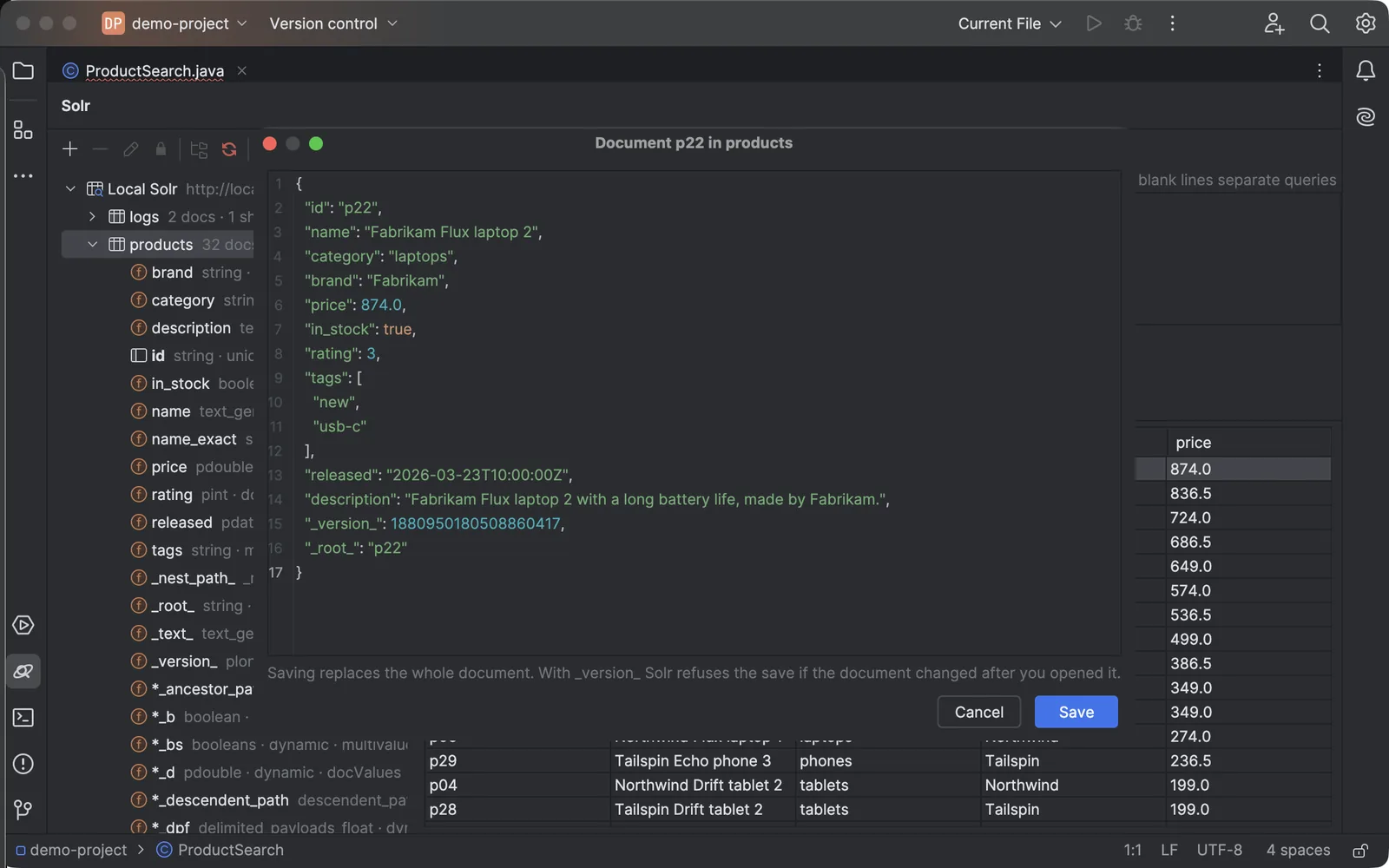
A document as JSON. Solr refuses the save if the document changed after you opened it.
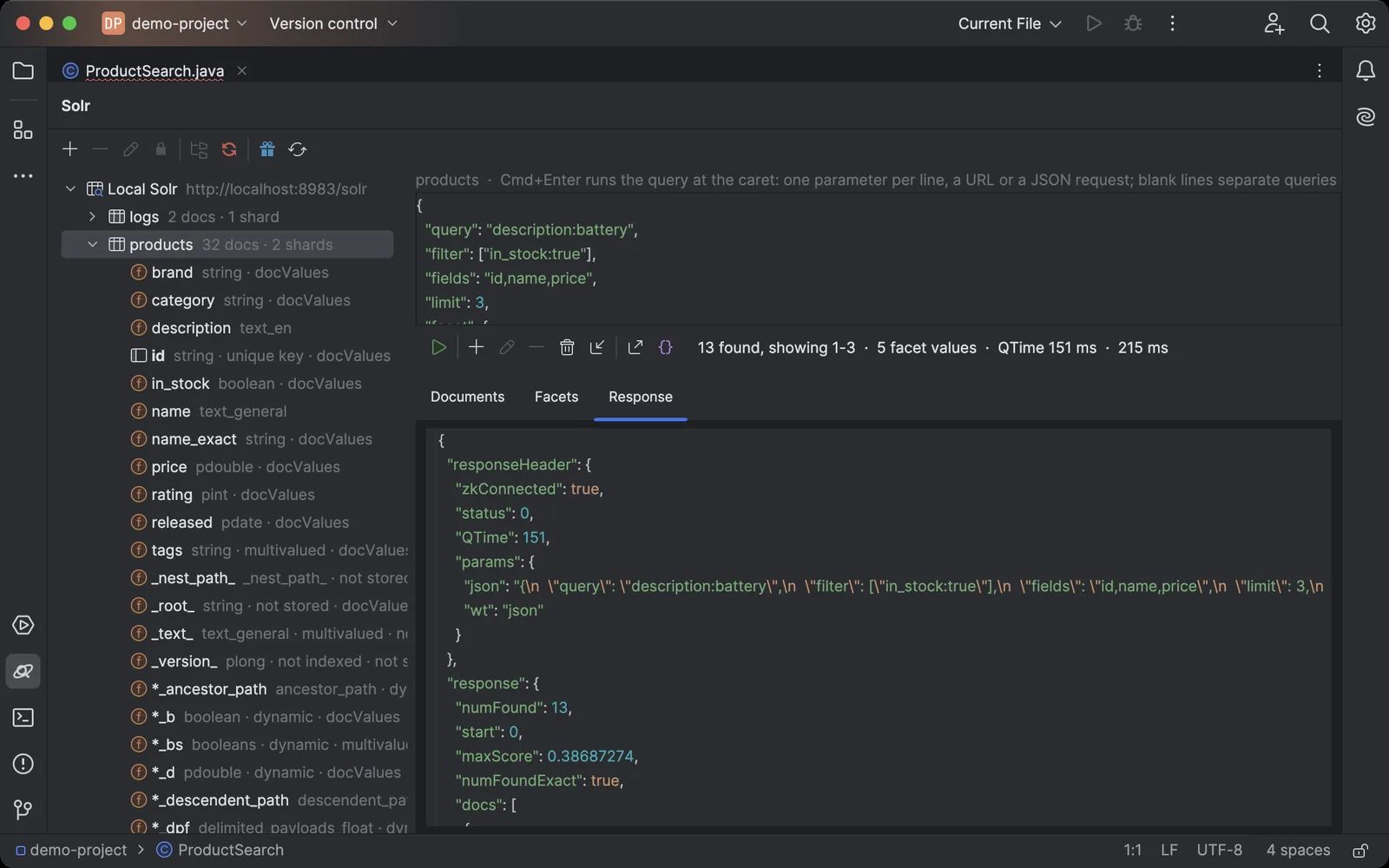
A JSON request with facets, and the whole response with highlighting.
Getting started in your JetBrains IDE
- Install Orbit for Apache Solr in the IDE: Settings → Plugins → Marketplace, search for "Orbit for Apache Solr". Start the 14-day free trial in the window that opens.
- Open the Solr tool window at the bottom of the IDE and click +.
- Enter the URL of any Solr node (
http://localhost:8983/solrfor a local one), and a user and password if your Solr has Basic authentication. Click Test Connection. - Expand the connection and select a collection. Write a query, one parameter per line, and press Cmd+Enter (Ctrl+Enter on Windows and Linux).
- Double-click a document to edit it, or use the toolbar to add, delete or import documents.
Orbit for Apache Solr pricing
A 14-day free trial with every feature, no card needed. Then a subscription sold through JetBrains Marketplace: $3 a month or $30 a year for personal use, $7 a month or $70 a year for organizations. After the trial the plugin works with a license.
More plugins and apps
Databases in the same IDEs: Orbit for Neo4j, Orbit for Cosmos DB, Orbit for InfluxDB, Orbit for Gremlin and Orbit for Consul. All products.
Orbit for Apache Solr is not affiliated with or endorsed by the Apache Software Foundation. Apache Solr, Solr and Apache are trademarks of the Apache Software Foundation. Questions: contact@jimapps.dev